
An audio enhancer app is often the missing tool in a creator’s workflow. Bad sound turns people away, even if your visuals are on point.
As a creator, you’ve likely run into background noise, low volume, or muddy voice-overs. Fixing these can eat up time you don’t have.

This blog will show you how to solve those issues fast. You’ll learn how to clean up your audio without gear, plugins, or editing skills—just a quick, smart way to sound professional before you hit publish.
Table of Contents:
The Real-World Struggles of Online Creators
What an audio enhancer app like Remasterify does
How can you use Remasterify? A Step-by-step audio enhancement guide
1. The Real-World Struggles of Online Creators
1.1 Time constraints and tight publishing schedules
Creating content isn’t just about ideas—it’s about speed. Whether you’re a podcaster aiming to drop weekly episodes or a reel maker pushing daily clips, your schedule is packed.
That pressure doesn’t leave much room for fine-tuning audio. You might notice noise or volume issues only after exporting your final video. By then, deadlines are already looming.
Many creators end up publishing with subpar sound just to stay on schedule. But that can hurt watch time, engagement, and overall quality.
You need something that fits into your fast-paced workflow—a smart audio enhancer app that can clean up audio in minutes, not hours.
1.2 Typical audio issues: background noise, low volume, plosives, echo, inconsistent loudness
Audio problems are more common than most creators admit. You can have a great mic and still end up with noise you didn’t expect.
Maybe it’s a ceiling fan hum in your room. Or a truck passing by mid-recording. Maybe your voice sounds too soft while the background music is too loud.
There’s also the issue of plosives—those harsh “p” and “b” sounds that hit hard. Add echo or reverb from an untreated room, and suddenly your crisp voice sounds muddy.
Even worse? Inconsistent loudness. One part of your video is too quiet, another part blasts your viewers’ ears. That’s a quick way to lose attention.
Fixing all this manually takes time. Editing waveforms, applying EQs, and balancing loudness across clips isn’t easy if you’re not an audio pro.
1.3 Limitations of built-in or mobile video editors (e.g., Instagram, Cap Cut, Canva)
Sure, built-in editors make content creation easy. But when it comes to audio enhancement, they fall short.
Apps like Instagram Reels, Cap Cut, or Canva may let you lower background music or boost volume slightly, but that’s about it.
There’s no real audio enhancement happening. No smart cleanup, tonal balancing. No way to remove hiss, echo, or mic thumps with precision.
Most of these editors treat audio as an afterthought. That’s fine for quick edits, but not when you care about quality.
If you want clean, professional sound, you need something more powerful. That’s where an audio enhancer app becomes essential.
2. What an audio enhancer app like Remasterify does
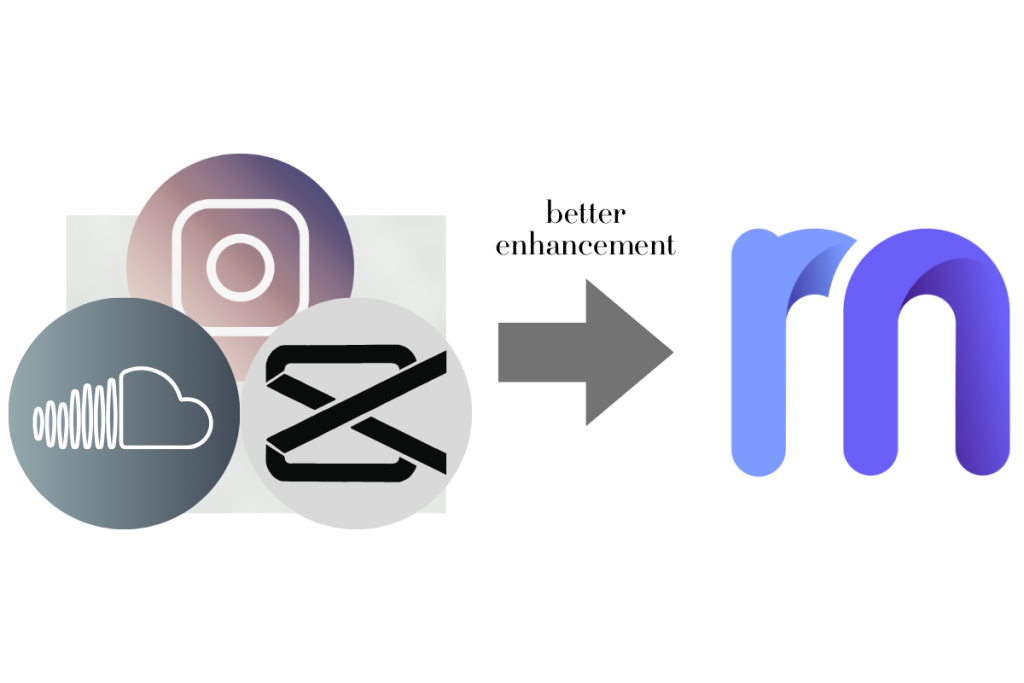
Let’s take Remasterify as an example of what a smart, creator-friendly audio enhancer app should offer. Below are five core features that matter most to online creators, explained through Remasterify’s strengths.
2.1 Quick upload and enhancement process
Time matters when you’re a content creator. You can’t afford to spend hours learning software or watching tutorials.
A good audio enhancer app should let you:
- Upload your file in seconds.
- Enhance it automatically.
- Download a polished version—ready to go.
Remasterify makes this incredibly easy:
- Just drag and drop your file.
- The AI takes over and enhances it based on your content type.
- Within moments, you get a mastered, clear version of your audio.
Whether you’re uploading a podcast, a voiceover, or a YouTube clip, the process is smooth and fast.
2.2 Automatic background noise reduction and dialogue clarity boost
One of the biggest reasons to use an Audio Enhancer Online is to remove distractions. Background noise—like fans, traffic, or keyboard taps—can destroy your viewer’s experience.
Remasterify uses AI-powered filters to:
- Remove unwanted background noise automatically. Read More.
- Clean up static, hums, and ambient interference.
- Improve clarity by enhancing speech frequencies.
This isn’t your average sound enhancer app. Remasterify is trained to isolate voice tones and optimize them for clarity.
The result? A crisp, clean voice track that sounds like it came from a professional studio. Perfect for voiceovers, podcast intros, or talking-head videos where your voice needs to cut through clearly.
2.3 Volume normalization for consistent loudness
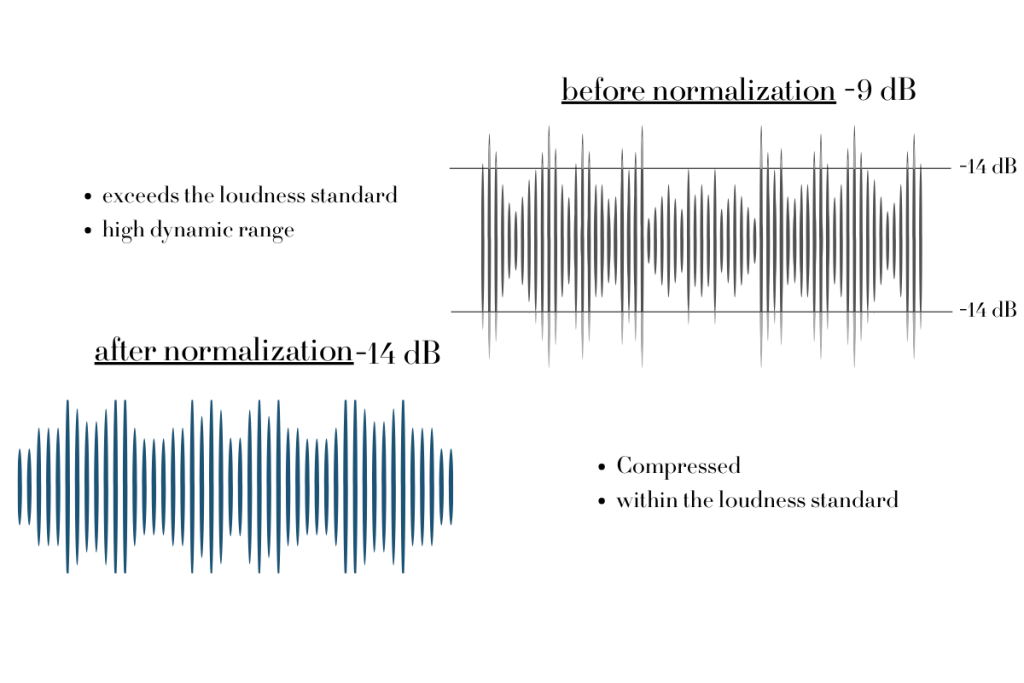
Ever notice how some clips in your video are louder than others? Or does your podcast intro sound fine, but the guest sounds too soft?
That’s where volume normalization comes in. A smart AI audio enhancer online should balance your loudness automatically—no manual adjustments needed.
Remasterify normalizes your audio to meet industry standards like LUFS, which is used by platforms like Spotify, YouTube, and Apple Podcasts.
With this feature:
- Your volume stays consistent across different sections.
- Listeners don’t have to adjust their volume up and down.
- Your content sounds smooth and professional.
A must-have for podcasters and multi-clip creators. Read more about LUFS.
2.4 No complex settings or technical learning curve
Not every creator is an audio engineer, and you shouldn’t have to be.
A great audio enhancer app should offer professional results without overwhelming you. But it’s even better when it gives you just enough control to fine-tune your sound.
Remasterify strikes that balance perfectly. It’s built for creators who want results fast, but still appreciate some flexibility:
- Set mastering intensity to control how aggressive the enhancement is
- Adjust noise reduction levels depending on your recording environment
- Tweak stereo widening and EQ if needed—or let the AI auto-EQ handle it for you
Even if you’re new to audio editing, the interface stays simple and intuitive. No clutter, no jargon—just smart tools that enhance your content on your terms.
Customization where it matters. Simplicity where it counts.
2.5 Compatible with multiple file types (MP3, MP4, WAV)
Flexibility is essential. You might be working with a voiceover, a podcast recording, or a reel with embedded audio.
A powerful voice cleaner should support:
- MP3 for voice recordings and podcasts.
- MP4 for videos pulled from your phone or camera.
- WAV for high-quality audio projects.
Remasterify supports all three and more, letting you upload whatever file you have, without needing to convert or compress it.
This means:
- Less time preparing your files.
- No quality loss from reformatting.
- A smoother workflow from recording to publishing.
3. How can you use Remasterify? A Step-by-step audio enhancement guide
Using an audio enhancer app shouldn’t be complicated. Remasterify makes the process fast, beginner-friendly, and effective. In just a couple of minutes, you can transform noisy, uneven audio into clean, professional sound, ready to publish.
Step 1: Upload Your File
Start by uploading the file you want like to enhance. Remasterify supports:
- MP3 (for podcasts, interviews, or voiceovers)
- HD WAV (for high-quality audio)
- MP4 (for video files with embedded sound)
There’s no need to reformat or compress anything. Just drag and drop your file directly into the tool. Whether it’s a quick voice note or a full-length video, Remasterify is ready to process it.
Step 2: Let the AI Handle the Audio Enhancement
Once your file is uploaded, Remasterify’s AI audio enhancer online takes over.
The system automatically applies:
- Noise reduction to remove background hums, clicks, or room noise
- Voice cleaner filters to make your dialogue sharper and clearer
- EQ balancing to smooth tonal inconsistencies
- Volume normalization for even loudness throughout
All of this happens in the background—no audio experience required.
Step 3: Fine-Tune with Easy Customization
Need more control? Remasterify gives you adjustable settings for:
- Noise reduction – This is the heart of Remasterify. It removes background hums, fan noise, room buzz, and low-level distractions.
- Equalization – By default, Remasterify applies AI-based auto EQ to make your vocals sound more polished. But if you want more control, you can manually tweak the EQ to boost higher frequencies slightly. This can make the voice clearer.
- Mastering Intensity – Ensures the entire track sounds consistent, with no volume spikes or dips.
- Stereo widening – Adds subtle depth and space to your audio for a more immersive sound (optional).
This blend of automation and flexibility makes it ideal for creators of all levels.
Step 4: Preview and Download
Listen to the preview. If it sounds polished, download the enhanced version instantly. Your file is now ready for publishing—clear, balanced, and professional.
From short videos to full podcasts, creators need reliable audio quality. Remasterify brings professional sound to your content with speed and precision. It combines fast processing and powerful features in one smart audio enhancer app.
Conclusion
Good content deserves great sound—but you don’t need to be an audio expert to make that happen. With the right audio enhancer app, you can clean up background noise, balance your vocals, and get professional-quality audio in minutes.
Remasterify gives creators a fast, flexible, and AI-powered way to enhance their sound, without complicated tools or editing headaches. Try Remasterify today and upgrade your audio without slowing down your workflow.