
Free mastering tools let beginner musicians polish mixes without spending money. It also helps learning the steps of a solid mastering chain. The plugins below cover EQ, compression, stereo imaging, limiting, and metering. So you can achieve release-ready loudness inside your DAW. This guide lists the best mastering software that is truly free, reliable, and easy to use. Whether you produce electronic or indie, these free audio plugins deliver professional results.
Table of Contents:
iZotope Ozone 12 EQ – For Equalization
TDR Kotelnikov – For Compression
Brainworx bx solo – For Stereo Imaging
Kazrog KClip Zero – For Audio Clipping
D16 Frontier – For audio limiting
Youlean Loudness Meter – For Loudness Analysis
Voxengo SPAN – For Frequency Spectrum Analysis
Best Free Mastering Tools
iZotope Ozone 12 EQ – For Equalization
Equalization (EQ) is the first step in mastering. It helps in cleaning low-frequency muddiness, removing harsh frequencies, and enhancing clarity. Therefore, making the mix clearer before moving to compression or limiting.
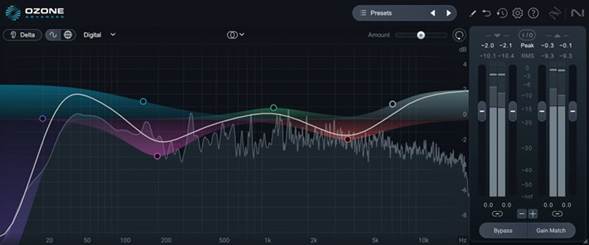
Ozone 12 EQ is a free mastering plugin that makes this process easy. It lets you shape the tone with simple controls, allows mid/side processing, and even hear exactly what you’re changing. It works in all major DAWs on Windows and macOS. For anyone starting out, it’s one of the best free mastering tools to set up a clean and balanced sound. Read More.
Other Alternatives
- TDR Nova by Tokyo Dawn Labs — a dynamic EQ: it lets you boost or cut only when a frequency gets loud, so you can tame harsh peaks without touching the whole mix.
- MeldaProduction’s MEqualizer — lots of bands, curves, and a flexible interface. Good for both surgical cuts and gentle tone shaping.
TDR Kotelnikov – For Compression
Compression in mastering helps control volume differences in a track. It evens out loud and quiet parts so the music feels more balanced and glued together.
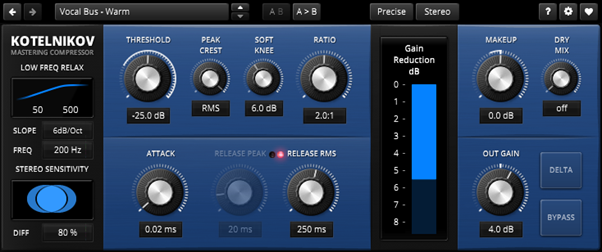
TDR Kotelnikov is one of the best free mastering plugins for this job. It’s known for being very clean and transparent, meaning it controls dynamics without changing the natural sound of your music.
You can set how quickly it reacts, filter out the low end so bass doesn’t get over-compressed, and even listen to what’s being reduced. It runs on both Windows and macOS and works with all major DAWs.
For beginners, it’s an easy way to add professional control to a mastering chain without making the mix sound squashed. Read More.
Other Alternatives
- Klanghelm DC1A — very simple compressor with warm character. Only a few controls, ideal for getting compression without overthinking.
- MeldaProduction MCompressor — a more adjustable compressor if you want more control over attack, release, knee, etc.
Brainworx bx solo – For Stereo Imaging
Stereo imaging is an important part of mastering. It deals with how wide or narrow your mix sounds between the speakers. Checking the stereo field helps you make sure your track feels big while still sounding good in mono.
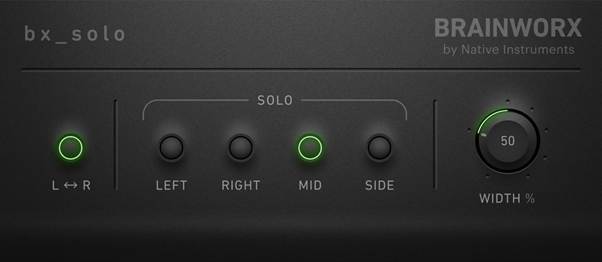
Brainworx bx solo is a free audio plugin that makes this simple. It lets you solo the middle or side parts of your mix so you can hear them separately, and it has a width control to make the track wider or tighter.
This helps you spot phase issues and adjust space in a clear way. It’s lightweight, works in all common DAWs, and is a handy free mastering tool for anyone learning how stereo balance affects the final sound. Read More.
Other Alternatives
- Voxengo MSED — lets you split mid and side parts, adjust levels separately, see how they behave. Good for stereo tweaking.
- Flux Stereo Tool v3 — provides stereo width control and meter/visuals; easy to dial in the stereo field.
Kazrog KClip Zero – For Audio Clipping
Clipping is often used in mastering to control sharp peaks before the final limiter. It trims just the loudest transients so the track can sound louder and cleaner without heavy compression.
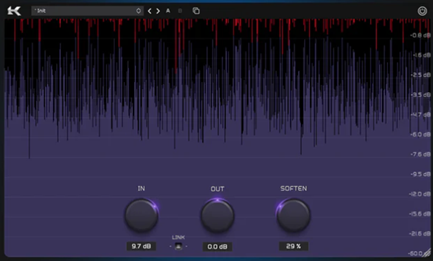
Kazrog KClip Zero is a free mastering clipper designed for this task. It uses high-quality algorithms with oversampling to keep the sound clear, even when pushing levels.
A simple visual display shows how much of the signal is being clipped, making it easy for beginners to understand.
It works in major DAWs on both Windows and macOS. Adding KClip Zero before your limiter can help you reach a louder master while keeping the energy of your mix intact. Read More.
Other Alternatives
- LVC-Audio ClipShifter — more clipping & wave-shaping options; gives gentle or hard clipping, depending on taste.
- Soft Clip plugin(s) like ones from Analog Obsession, which let you add mild distortion or clipping as color before the limiter.
D16 Frontier – For audio limiting
Limiting is the final step in a mastering chain. A limiter ensures the track doesn’t exceed 0 dB, while also boosting the overall volume to a competitive level.
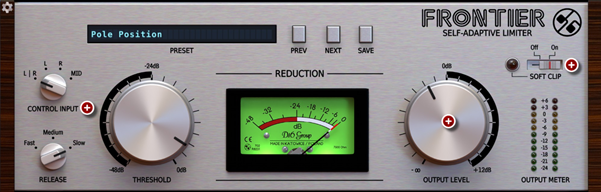
D16 Frontier is a free mastering limiter that’s easy to use and powerful. It adapts automatically to the audio, so beginners don’t have to worry about complex settings.
You can control how much limiting is applied with a simple threshold knob, and it offers different release modes for fine-tuning. It also has built-in soft clipping to catch extra peaks.
Frontier runs on Windows and macOS in all major DAWs, making it one of the best free mastering tools to bring your track up to final loudness safely. Read More.
Other Alternatives
- LoudMax — very popular free brickwall limiter; people like it because it does the job transparently and with low CPU.
- Limited-Z by LVC-Audio — simpler brickwall limiter, with clean sound and useful control options.
Youlean Loudness Meter – For Loudness Analysis
Metering is essential in mastering because it shows how loud your track really is. While your ears guide the sound, meters confirm if the mix is hitting the appropriate loudness.
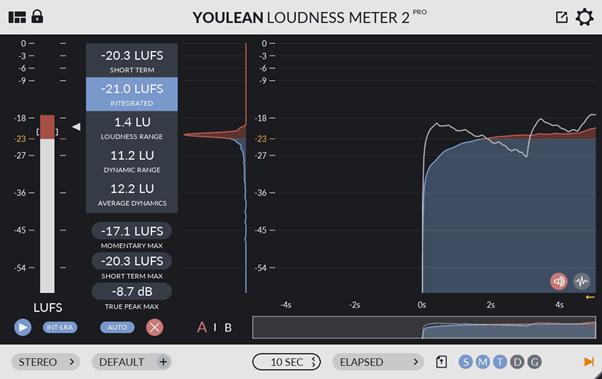
Youlean Loudness Meter is one of the best free mastering tools for this step. It measures loudness in LUFS, the standard used by Spotify, YouTube, and other services. It also shows true peak levels, so you can avoid distortion.
The interface is clear and beginner-friendly, with real-time graphs that help you see how consistent your master is.
It works in all major DAWs on Windows and macOS, making it an essential audio tool to finish your mastering chain with confidence. Read More.
Other Alternatives
- Goodhertz Loudness (free version) — measures LUFS, true peak and is also fairly simple for beginners.
- Waves BIG Meter (if there’s free/trial) or Youlean Loudness Meter 2 (free edition) itself if not already used.
Read on to discover the secrets of visual mastering techniques.
Voxengo SPAN – For Frequency Spectrum Analysis
A spectrum analyzer is a helpful mastering tool because it lets you see the balance of frequencies in your track. It shows if the bass is too heavy, the mids are cluttered, or the highs are too sharp, which can be hard to judge by ear alone.
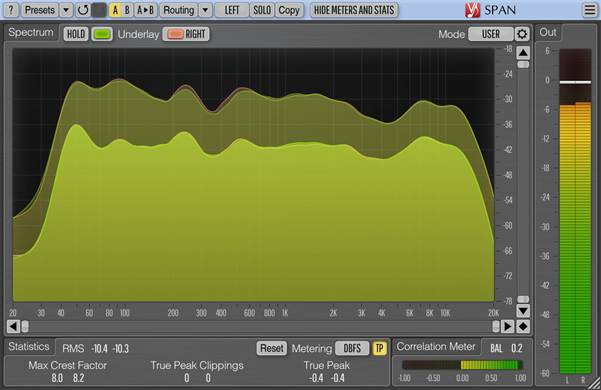
Voxengo SPAN is a free audio plugin that gives you a detailed frequency spectrum in real time. It’s highly customizable and includes extra tools like a correlation meter to check stereo phase and a peak/RMS meter for overall levels. Beginners can use it to identify problems and confirm EQ decisions quickly.
SPAN works on both Windows and macOS in all major DAWs. This makes it one of the best mastering plugins to keep your final track balanced. Read More.
Other Alternatives
- Blue Cat’s FreqAnalyst — a smooth spectrum analyzer with good visuals and easy-to-use features.
- MeldaProduction MAnalyzer — spectrum + spectrogram with good resolution and features.
Bonus Mastering Software
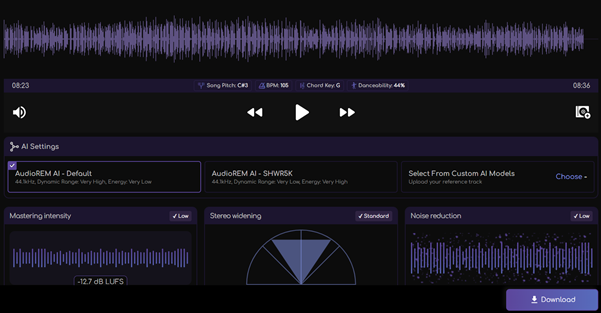
If audio mastering feels intimidating, Remasterify makes it easy. It delivers professional-quality masters in seconds for both beginners and pros. Stay focused on the creative side. Leave the technical details behind.
Conclusion
Free mastering tools enable beginners to achieve professional tracks without spending money. By using EQ, compression, stereo imaging, clipping, limiting, and metering, you can cover the full mastering chain inside any DAW.