
Most of us pay a $10 bill without thinking twice, but very few of us could instantly say whose face is printed on it.
The same thing happens in music all the time. Many guitarists and bassists make great music and use gain and volume every day, yet they still do not clearly understand how the two are different.
They become part of our routine, familiar enough to trust, but not always clear enough to truly understand.
If you make music, you have seen both words many times: gain and volume.
They both seem to make sounds louder. So, it is easy to think they mean the same thing. But they do not. And when you know the difference, recording and mixing get much easier.
This guide will keep it simple.
You do not need an audio degree. You just need to know one big idea:
Gain controls the strength of the sound going in.
Volume controls how loud the sound comes out.
That is the heart of it.
Once you understand that, many other things start to make sense. You will better understand clipping, clean recordings, plugin levels, guitar amp distortion, and gain staging.
Table of Content
- What is volume?
- What is gain?
- Why do people get confused
- Some Real-Life Examples of Gain vs Volume Debate
- Why does this matter when you record
- Why gain vs volume matter when you mix
- What is gain staging?
- Common mistakes you might be making in music
- A simple way to remember volume-gain differences
- Delivering a better sound experience
- Remaster your audio: a quick hack to sound better
The quick answer
Let’s answer the question first.
What’s the difference between gain and volume?
Volume is the loudness you hear at the end of the chain. It is the output level. It changes how loud something sounds, but it usually does not change the tone by itself.
Gain is the level of the signal going into a device, plugin, preamp, or amp stage. Because it happens before processing, it can change the way that gear reacts. That means gain can affect tone, character, and sometimes distortion.
So, if you remember only one line, remember this:
Gain is about input. Volume is about output.
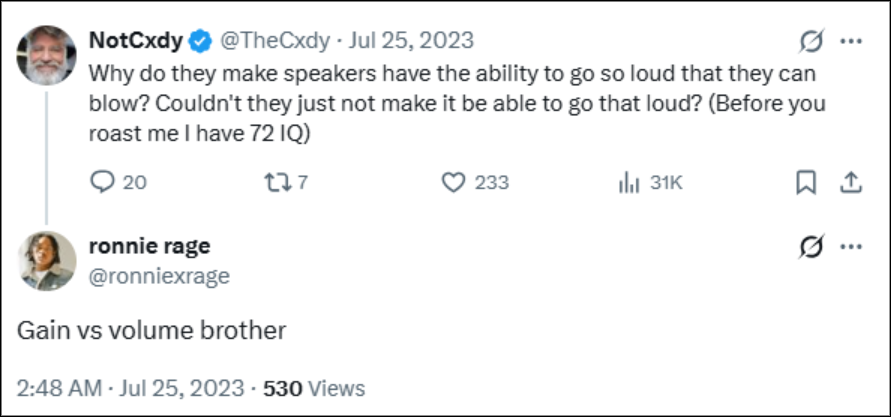
There are many people (even great musicians) who often mistakenly put gain and volume at the same level. But those who have technical knowledge about music do not commit that mistake. They know the differences very well. Ronnie knows it very well here (notice the screenshot above).
Before we move further into the differences, let’s understand the core concepts of volume and gain first.
What is volume?
Volume is the easier one.
It is simply how loud the sound is when it comes out of something. That “something” could be your speakers, your headphones, your car stereo, your phone, your DAW channel, or your master output.
- If you turn up the monitor knob on your speakers, you are changing the volume.
- If you pull down a fader in your mix, you are changing volume.
- If you turn the master knob on an amp, you are changing the volume.
The main job of volume is simple: it makes the final sound louder or softer. By itself, it does not usually change the color of the sound. It changes how much of that sound you hear. For your reference, the color of the sound means the mood of the sound.
What is gain?
Gain is a little more tricky, but it does not have to feel scary.
Gain is the strength of the signal at the input stage. In simple words, it is how hard you are sending sound into the next part of the chain. That next part might be a mic preamp, a plugin, an audio interface, or a guitar amp.
This is why gain matters so much.
When the signal goes harder, the gear can react differently. A compressor may clamp down more. A saturation plugin may sound richer or rougher. A guitar amp may get dirty and distorted.
So gain does not only change the level. It can also change tone.
That is why people often say volume changes loudness, while gain can change the feel of the sound too.
Why do people get confused
The confusion is real, and it is not your fault.
In modern music software, the word gain is not always used in one perfect way. Some plugins use “makeup gain,” but that control is really acting more like an output volume control. Some tools use gain to mean input level. On guitar amps, gain is often tied to drive and distortion.
So the label on the knob does not always tell the full story.
The better question is this:
Where is this control in the signal path?
- If it affects the sound before processing, it is acting like gain.
- If it affects the sound after processing, it is acting like volume.

Some Real-Life Examples of Gain vs Volume Debate
Let’s make this easier with a few simple examples.
Example 1: Recording a vocal
A microphone signal is quiet. So, you use the input gain on your interface or mixer to bring it up to a healthy level. That is gain.
Now let’s say the singer wants more voice in the headphones. You do not need to change the mic preamp again. You can just turn up the headphone mix or fader. That is volume.
Example 2: A guitar amp
A guitar amp is one of the best ways to hear the difference.
The gain knob drives the preamp stage. That changes how clean or dirty the tone is. The master volume then controls how loud that tone comes out of the speakers. So, you can have a dirty sound at a low loudness, or a clean sound at a high loudness.
Example 3: A plugin in your mix
Let’s say you add a compressor. The compressor changes the signal. Then you turn up the makeup gain, so the track sounds as loud as before. In that case, the output got louder, but the job of that control is really closer to volume at the end of the plugin chain.
This is why loudness can trick you.
A louder sound often feels “better” at first, even when it is not actually better.
Why does this matter when you record
This is where the difference becomes useful.

If you set gain too high while recording, you can clip the sound. In digital audio, clipping is bad news. It can sound harsh, ugly, and hard to fix later. That is why many engineers aim for healthy recording levels instead of trying to record as loud as possible. Aim for an average around -18 dB to -10 dB, while trying to avoid peaks over -6 dB.
That gives you headroom.
⭐ Headroom means you have room left before the signal gets too loud and clips. It’s the space above your normal working level before distortion can happen. That’s why leaving a room in a mix matters the most.
Clippings can occur if a signal goes past 0 dBFS.
So, when you record, use gain to get a clean signal. Then use volume for monitoring and listening. Do not mix those two jobs together.
This simple habit can save you a lot of trouble later.
Why gain vs volume matter when you mix
When mixing, the same rule still applies.
Imagine sending a vocal into a tape or saturation plugin. If the signal hits the plugin too hard, the effect may become too aggressive and change the sound more than you wanted. If it goes in too softly, the plugin may not give you enough of the warmth or character you were hoping for. That input level is gain.
After the plugin has done its job, the output may become much louder than before, and that can trick you into thinking the sound is better when it may only be louder. That is why mixers adjust the output volume to keep the before and after levels close. It helps them judge the real tonal change fairly.
Later, when the mix is complete, tools like Remasterify can help make the final result feel more balanced, polished, and ready for listening, not just louder.
What is gain staging?
Gain staging sounds technical, but the idea is simple.
Gain staging means keeping your signal at a healthy level through the whole chain. In other words, you do not want the signal too quiet or too loud at any stage. You want it controlled from the start to the finish.
That includes:
- The recording input
- The clip gain on a track
- The input and output of plugins
- The buses
- The master channel
Good gain staging helps you avoid noise, clipping, and bad level jumps. It also helps plugins behave in a steadier way. And it helps you make better choices because you are not being fooled by random loudness changes.
A very simple way to think about it is this:
“The level going in should stay close to the level coming out, unless you are changing it on purpose.”
That is a great habit to learn.
And it helps later too. When your mix has clean levels and good headroom, the final polish stage becomes easier. That is one reason why better gain staging often leads to better remastering results. Irrespective of you do it by hand or use AI tools like Remasterify to help shape the final sound.
⭐ Explore how you can sound your best using AI
Common mistakes you might be making in music
A lot of beginners make the same few mistakes when making or mixing music.
I. Recording too hot
People think louder recording is better recording. In modern digital audio, that is not true. You do not need to push close to zero. You need a clean signal and a safe headroom.
II. Using volume to fix a gain problem
If the input is clipping, turning down your speakers will not solve it. The problem is earlier in the chain. You need to lower the gain, not just the listening level.
III. Thinking louder means better
Our ears are easily fooled. A louder sound can seem fuller or brighter, even when the real tone is not better. That is why level matching matters in mixing.
IV. Ignoring plugin output level
One plugin can make the next plugin work too hard. Then the whole chain starts to feel off. Keep an eye on both the input and output of each stage.
V. Keeping faders at unity level
While recording, push yourself hard to keep your faders at unity level for audio gain. You can find it as a default position in almost every DAW software. All you need to do is keep the faders at unity where it can provide you with the optimal position (most resolution right in the middle).
VI. Provide enough headroom
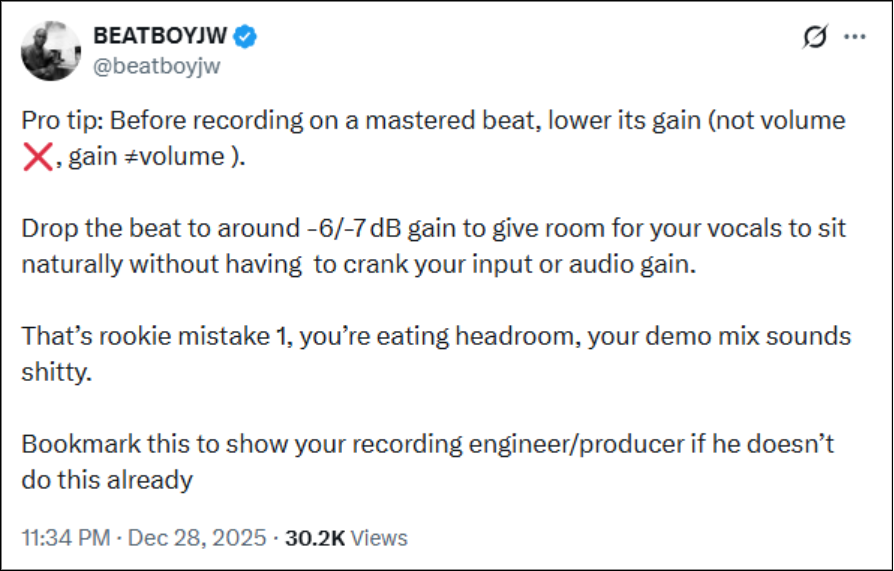
Always leave enough space when you record. If the signal comes in too hot, you may have to pull the fader down too much later, which makes small level adjustments harder. This is especially a problem with lead vocals, where smooth fader moves matter.
Start with your faders at unity and record at healthy levels. That way, you can see your real headroom clearly and keep more control during the mix.
Lower the gain, not the volume by –6/-7 dB to sit on your vocals naturally. Give room for your vocal to prevent cracking your input gain. Providing enough of headroom can save your mixes. For real.
A simple way to remember volume-gain differences
Here is the easy memory trick:
Gain shapes what goes in. Volume controls what comes out.
If you remember that line, you will already be ahead of many beginners.
And once you start hearing the difference, you will notice it everywhere:
- in clean and clipped recordings
- in plugin chains
- in guitar amps
- in full mixes
- in mastering choices
If you’re not a core musician, knowing the differences between volume and gain helps you in many ways.
For example, podcasters can deliver smooth audio experiences to their listeners if they understand this.
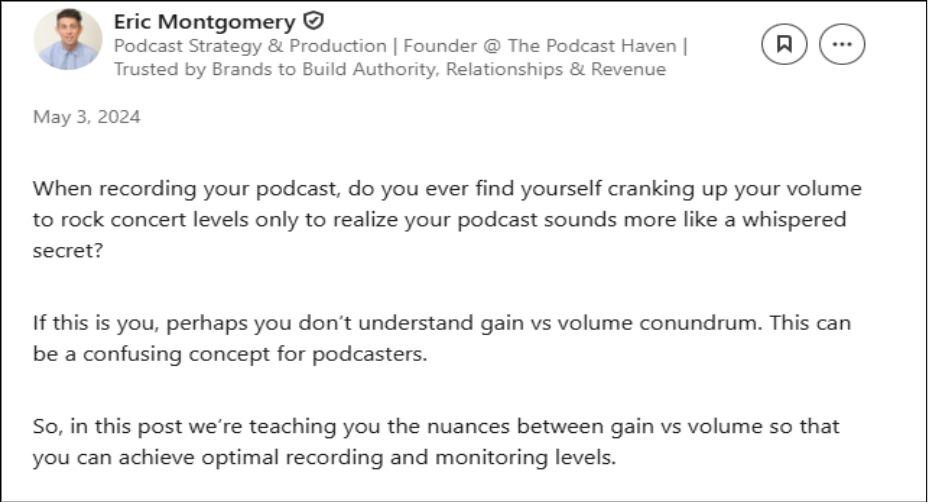
At present, sounding good in digital media is as important as recording a music album. Working only the volume alone cannot help you here. You need to have proper knowledge about gain and gain staging, too.
Delivering a better sound experience
Your mixes should sound the same on all platforms.
Not only on different platforms, but also on different devices. If not, you’ll not be able to deliver the quality sound experience you design for your listeners.
If you’re producing music for films, music albums, YouTube, social media, or games, you need to know how to deliver better audio experience.
Here’re the reasons why you should deliver a good sound experience to your listeners:
- Sound shapes experience and helps listeners immerse emotionally. It builds tension and develops depth in a musical track.
- If listeners hear every detail of the music at high-end frequencies, it will help them engage better in the content.
- Good sound experience prevents ear fatigue. It allows listeners to stay longer in listening sessions.
Remaster your audio: a quick hack to sound better
A balanced tonal quality matters the most to create a better sound experience. By balance it means a level where the bass, highs, and mids do not sound too thin, too bright, or muddy at all.
Plus, the audio volumes should not feel loud or quiet across all the output devices (eg, speakers).
Now we have all the modern amenities to make your music better. Among them, AI-powered audio mastering platforms solve the right problem. You can fix your audio files using the gain and volume metrics through remastering.
Learn Gain First, then Volume
Gain and volume are close cousins, but they are not twins.
- Volume is the loudness you hear at the end.
- Gain is the strength of the signal going into the next stage.
That one difference affects a lot: tone, distortion, clipping, plugin behavior, and the way you judge your mix.
So, if you want cleaner recordings, smarter mixes, and fewer mistakes, learn gain first. Then use volume with purpose.
And when your mix is ready for the last step, Remasterify can help you turn that good level control into a more polished final sound. You can get your music clear, balanced, and ready for real-world listening formats.
Basically, better music. Not just louder music.
Isn’t it your real goal?
Explore Remasterify (it’s FREE!)