
Finishing a song used to feel like standing outside a studio window, watching the real work happen inside. Today the window is gone. With a laptop, decent headphones, and a simple workflow, anyone can learn how to mix and master at home without turning music into a science project. This guide shows what actually helps a track translate on phones, cars, and playlists, and where people get stuck. If you have been searching “mix and master my song” or wondering about the difference between mix and master, you will get plain answers, practical steps, and a few smart shortcuts that keep creativity first.
Why I Decided to Mix and Master My Own Songs
Here’s why the switch to home mixing and mastering made sense. The goal was simple. Finish songs faster, spend less, and keep the sound that felt right. Studio help is valuable, but the daily work of a creator needs a steady, simple path. This section shares what pushed the move and what solved it.
Revisions that never felt done
Small notes kept turning into new versions. Each bounce fixed one thing and broke another. The mix drifted from the mood that started the song. Learning how to mix and master at home gave control of tiny moves. A one-dB EQ cut. A gentler vocal compressor. Quick tests that kept the vibe.
Waiting killed momentum
Turnaround times stretched out. Ideas cooled. The next song stalled while files moved back and forth. A lean home setup let work happen in short bursts. Ten minutes to rebalance a chorus. Five minutes to check the kick on phone speakers. Progress felt daily again.
Budget pressure on every tweak
Every change felt like a cost. That made experiments scary. A home workflow used stock plugins and trusted headphones. It turned trial and error into a habit. “Mix and master my song” became a repeatable checklist instead of a bill. Paid help stayed for big releases, not every demo.
The demo had more life than the master
Early rough mixes often felt better. The final was cleaner but flatter. Learning the difference between mix and master fixed this. Mix for feel and space. Master for polish and level. Light glue, smart limiting, and quick A/B against a reference kept the song alive.
What finally worked
Keep gear simple. Use references. Check translation on phone, car, and earbuds. When speed mattered, try an AI mix and master pass to get close, then refine by ear. Hire mix and master services only when the song needs deep surgery. The process became clear and repeatable.
How Easy Is It to Mix and Master Your Own Music Today?
Yes, it is now easy to mix and master your own music at home. If you search “mix and master my song” or “mix and master free online,” you will find tools that guide each step. A basic DAW plus decent headphones is enough to learn how to mix and master. Stock plugins cover EQ, compression, and a clean limiter. Keep headroom by peaking around minus six dBFS, export at 24-bit, and compare to a reference track. You will hear the difference between mix and master fast. Here in Remasterify, we do take these responsibility with care. You can check it out for mastering.
AI helps you move quicker. An “ai mix and master” pass can set safe loudness and highlight tonal fixes. Match streaming norms by watching LUFS and keeping true peak below zero. If the vocal feels dull, add a gentle high shelf with EQ. If the kick jumps, use light compression. Raise level with the limiter until it is loud but clean, then A B on phone and car speakers. This simple loop makes the result consistent and release ready.
Mixing at Home: What You Need and What You Don’t
A small, quiet space and a clear plan beat a big room full of gear. The goal is simple. Hear the truth, make clean moves, and keep a steady workflow. Here is the setup that helps you mix and master music at home without noise or guesswork.
The core setup that works
Use a laptop that runs your DAW without glitches, a simple audio interface, and one reliable pair of closed-back headphones. This trio lets you track vocals, edit fast, and hear details. Keep your session tidy, label tracks, and leave headroom. A clean layout makes it easier to learn how to mix and master audio with less stress.
Suggested Read: Top 7 Best Free DAW for Beginners in 2025
Headphones vs monitors at home
Headphones are the safe start in small rooms. They reveal clicks, breaths, and low rumble. If you add monitors later, pick modest nearfields and sit close to reduce room impact. Always cross-check on both. If the vocal disappears on headphones but booms on speakers, fix the balance before you add more plugins.
You may be interested: 16 Best Budget Microphone for Recording at Home Setup
Room fixes that matter
You do not need a full build. Tame echoes first. Add a rug, thick curtains, and a bookshelf behind you. Place absorbers at first reflection points if possible. Keep the desk clear so sound is not bouncing back. These small steps raise clarity and make panning choices far easier.
Plugins you need, not the shelf
Start with stock EQ, compressor, de-esser, delay, reverb, and a transparent limiter. These cover 95 percent of home work. Add a meter that shows LUFS and true peak for the master bus. Learn one tool at a time. Simple chains make it easier to repeat results and spot real problems.
What you can skip
Skip giant plugin bundles, huge monitors in a tiny room, and heavy mix bus processing. Do not chase a perfect room curve on day one. Avoid fixing mix issues at the mastering stage. If the bass fights the vocal, solve it in the mix. Mastering is polish, not rescue.
A quick starter checklist
- Laptop, interface, closed-back headphones
- DAW with stock EQ, compressor, limiter
- Quiet spot, basic echo control, reference tracks
- Sessions labeled, peaks below minus six dBFS
- A plan to A B on phone, car, and small speakers
My Simple Process for Mixing a Song from Scratch
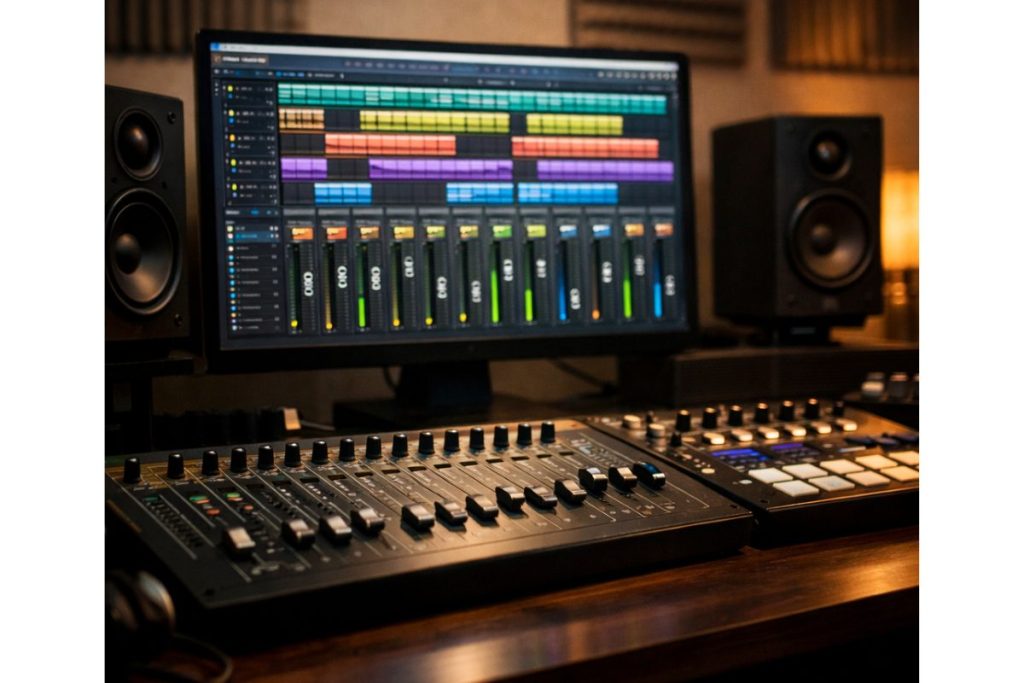
I start by cleaning the session. Tracks are labeled, colors set, and noisy bits trimmed. Faders go down so nothing clips. I set a rough balance with only volume and pan. Drums, bass, vocal, and main instrument form the core. If that core does not feel good, I fix it before any plugin. Headroom stays safe, with peaks near minus six dBFS.
Next comes EQ for space. I cut mud on guitars and keys so the vocal stays clear. I tame harsh highs on the vocal if the S sounds bite. And Add a small low shelf to kick or bass if the groove feels thin. These are small, wide moves. If I reach for narrow notches, I make sure I have a real problem first.
Compression is for control, not for effect. I use light gain reduction on vocal, bass, and drum bus. Slow attack keeps punch. Medium release keeps flow. If the mix starts to breathe in a bad way, I pull back. Reverb and delay are short and simple. A small room for glue and a short slap or plate for the vocal gives size without haze.
I check the mix on phone and small speakers before I chase polish. If the chorus dips, I ride the vocal a touch. If the kick vanishes on earbuds, I adjust low mids, not only sub. I compare to one reference track at the same level, then stop. Less guessing, more music.
When Your Mix Sounds Good; Here’s How I Master It
The first time this workflow clicked, it felt calm. The mix already breathed. Now the job was polish. No fuss, just a clean pass that would hold up on a phone and in the car. Here is how the master comes together inside Remasterify, step by step.
- Upload: Drop in the stereo mix at 24-bit with peaks near minus six dBFS.
- Let the AI start: Remasterify runs a standard mastering pass to set tone and loudness.
- Pick the feel: Try different AI models or add a reference master you love to guide the sound.
- Set mastering intensity: Nudge it up or down until the track feels strong but still open.
- Shape the stereo: Adjust stereo widening so the vocal stays steady in the center and the sides feel alive.
- Clean the floor: Use noise reduction lightly to clear hiss without dulling transients.
- EQ choices: Keep Automatic EQ for speed, or turn it off and make small manual moves.
- Add the details: Fill in metadata like title, artist, year, and cover art.
- Remaster: Run the final pass and compare to your reference at the same level.
- Download: Grab the master, test on phone and car, and note any tiny tweaks for the next version.
That’s all. Why don’t you give it a try?
Can AI Really Mix and Master Your Song for You?
Yes, AI can now mix and master your song with surprisingly balanced results. These ai mix and master systems analyze tone, frequency balance, and loudness using trained models from thousands of professionally mastered tracks. They automatically set EQ curves, manage compression, and apply limiting so your song sounds polished and ready for streaming. For creators recording at home, this means faster, cleaner results without needing a studio engineer.
Remasterify takes this idea a step further. Its mastering AI adapts to your mix style and genre, allowing customization through mastering intensity, stereo width, noise reduction, and even reference mastering. Instead of guessing settings, you can test different AI models and immediately hear how your track improves. It keeps the creative decision in your hands while automating the technical precision behind professional mastering.
How Much Does It Actually Cost to Mix and Master a Song?
The cost of mix and master services can vary from affordable to premium depending on who you hire. In the U.S., mixing can cost $100–$500 per track, while mastering often ranges from $30–$150. In India and similar markets, prices can be much lower. For beginners or indie artists, this quickly adds up, especially when multiple revisions are involved. That’s why many now explore mix and master free online tools that deliver competitive results for a fraction of the cost.
Remasterify is one of those tools redefining how artists think about mastering costs. Instead of paying per revision, you upload your song, pick an AI model, adjust mastering intensity, and instantly get a clean, release-ready master. It offers studio-grade sound with transparent pricing, letting you focus on learning how to mix and master without worrying about the budget.
Is Mixing Harder Than Mastering? (And What I Learned Doing Both)
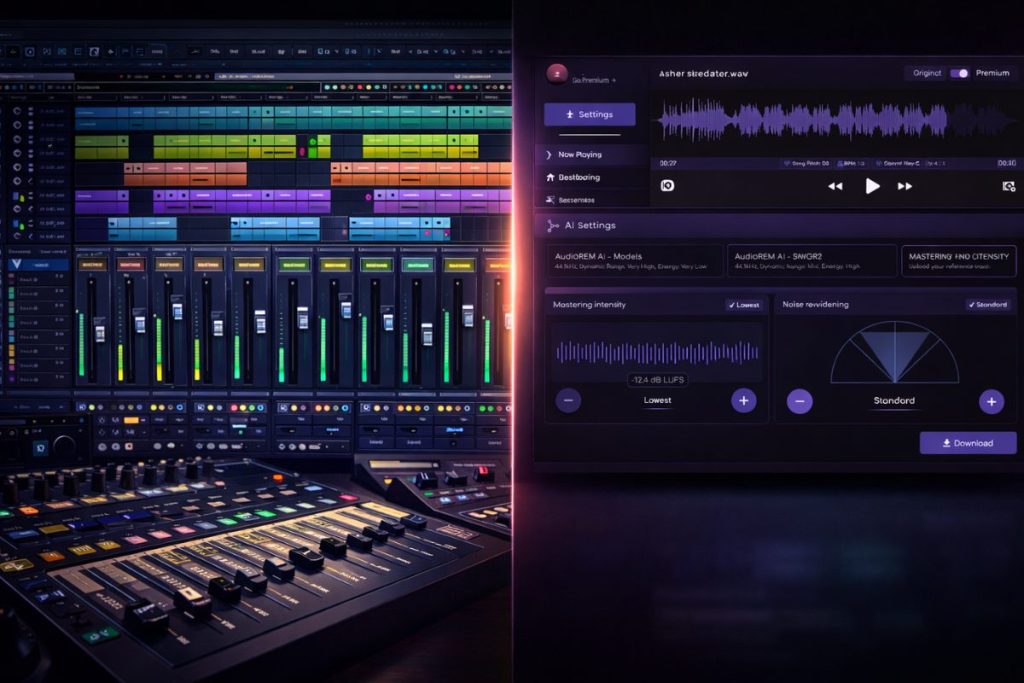
Mixing is often harder than mastering because it deals with many moving parts. A mix builds the foundation—balancing instruments, cleaning frequencies, and shaping the emotion of the track. Mastering, on the other hand, focuses on one stereo file and ensures that it translates consistently across all devices. The real difference between mix and master lies in control: mixing fixes issues, mastering enhances the finished sound.

Remasterify helps simplify that second step. Once your mix feels balanced, you can use its AI mastering engine to analyze and lift your track to professional loudness levels. It handles the technical polish—EQ balance, stereo enhancement, and peak control—while you listen critically and decide what fits your style. It turns what once felt like a complex engineering step into a quick, creative final touch.
Why DIY Mastering Feels Empowering
Finishing your own song feels personal. You hear every detail you shaped, and the result sounds like you meant it to. DIY mastering gives independence and confidence, especially when tools like Remasterify make professional-quality results accessible. You can now test ideas, fix balance, and create final versions in your own time. The mix becomes yours, the master becomes yours, and the process turns into a skill you can repeat with every new track.
FAQs on Mixing and Mastering
Can I mix and master my own music at home?
Yes. With a DAW, decent headphones, and reference tracks, you can mix and master your own music easily. Balance levels first, clean with EQ, control peaks with compression, then use a limiter for safe loudness. Many mix and master free online tools can help you learn faster.
Can ChatGPT mix and master a song?
No, ChatGPT cannot process audio directly. It can only explain how to mix and master a song or guide settings. For real processing, use a DAW or an ai mix and master platform to finish your track.
Is it hard to master my own music?
Not really. Once you understand EQ balance, compression, and loudness, mastering becomes easy. Keep your mix clean, avoid clipping, and compare to a reference track to match tone and volume.
Which is harder: mixing or mastering?
Mixing is harder because it handles many tracks at once. Mastering works with one stereo file. The difference between mix and master is that mixing builds balance while mastering polishes the final sound.
Where can I get my music mixed and mastered online?
You can find several mix and master services and ai mastering tools online. Many offer instant previews, free trials, and simple upload steps to get a ready-to-release master quickly.
How much does mixing and mastering cost?
It depends. Professional mix and master services can cost between $50 and $500 per song. Online and AI tools are cheaper options that deliver consistent mastering quality for beginners.
How long does it normally take to mix and master a song?
A basic home mix takes 3–5 hours on average. Mastering a finished song may take 15–30 minutes, especially with ai mix and master platforms that automate loudness and tone settings.
How can I master my own music at home with affordable gear?
Use your DAW’s stock EQ, compressor, and limiter. Keep peaks near minus six dBFS and add gentle EQ to match your reference. For loudness, check LUFS meters and avoid clipping in the master.
Which software is recommended for beginners to master their own music?
Start with any modern DAW like Ableton, Logic, or FL Studio. Use built-in tools to mix and master audio before buying paid plugins. Focus on balance and clarity, not plugin counts.
Where can I find tutorials on mastering music using popular software?
You can find clear guides on YouTube and music blogs. Search for “how to mix and master music” or “mastering chain tutorial” for your specific DAW to learn practical steps.