
A recording or mix can sound good in headphones but break on a phone speaker. That is when the panic starts. The harsh chorus, weak bass, or a crunchy peak was not there before. But you could not recognize. People search “LANDR vs Remasterify” for one reason. They want a clear comparison before paying.
Online audio mastering tools look similar on the surface, but the way they price, guide, and export masters can feel very different in real use. This guide compares only the mastering side so the choice stays simple.
Table of Contents:
What you actually need from AI mastering?
LANDR vs Remasterify: the real differences
Pricing: why this changes everything
Workflow: “toolbox” vs “habit”
Reference tracks: the fastest way to sound consistent
Controls: how much you can shape the master
Harshness, clipping, and “why does it sound crunchy?”
Who should choose Remasterify?
A simple way to decide in 10 minutes
What you actually need from AI mastering?
Most buyers are not chasing “perfect mastering theory.”
They want a master that sounds clean, loud, and not painful.
Here are the common pain points that lead to these tools:
- The track sounds quiet next to other songs
- The chorus gets harsh when turned up
- The bass disappears on small speakers
- The file clips after upload to social platforms
- Mastering feels like too many plugins and too much doubt
That is why AI mastering and online audio mastering tools exist. They aim to make “good enough to release” easier.
LANDR vs Remasterify: the real differences
This table is the fastest way to understand the gap.
It focuses on what changes the buyer experience.
| What matters | LANDR Mastering | Remasterify |
| Reference track support | Up to 3 reference tracks with Reference Mastering | Includes reference mastering recommendations in plan messaging |
| Where it works | Browser mastering + Mastering Plugin in your DAW | Browser-style workflow (upload → master → download) |
| Exports and formats | Unlimited MP3 but limited WAV files can be mastered. Only the highest priced plan offers unlimited WAV. | Plan shows HD WAV, MP3, MP4 exports; uploads include unlimited WAV/MP3/MP4/FLAC |
| Pricing feel | Tiered ecosystem. | Clear subscription messaging; yearly shown as $5.83/month billed annually on site |
| Best for | People who want more “system” options | People who want fast repeats and many versions |
Pricing: why this changes everything
Pricing is not just about money.
It changes whether you experiment or hesitate.
LANDR pricing
LANDR’s pricing depends on plan and bundle (they sell more services other than mastering). The official pricing page is the source of truth for the latest numbers.
The key point is that LANDR has multiple products and paths, so pricing can feel more layered.
Remasterify pricing
Remasterify’s site shows a simple plan layout. The yearly plan is displayed as $5.83 per month billed annually, and it includes Unlimited Mastering, HD WAV/MP3/MP4 exports, and cloud storage.
So, plain takeaway is: If the goal is to master many times (and test many versions), a clear “unlimited” plan usually feels easier to live with.
Workflow: “toolbox” vs “habit”
The workflow is the hidden difference.
It decides what you will actually use after week one.
LANDR feels like a mastering toolbox.
It has a strong AI mastering engine and also offers a Mastering Plugin that runs in your DAW, which appeals to people who like a traditional workflow.
Remasterify feels like a mastering habit.
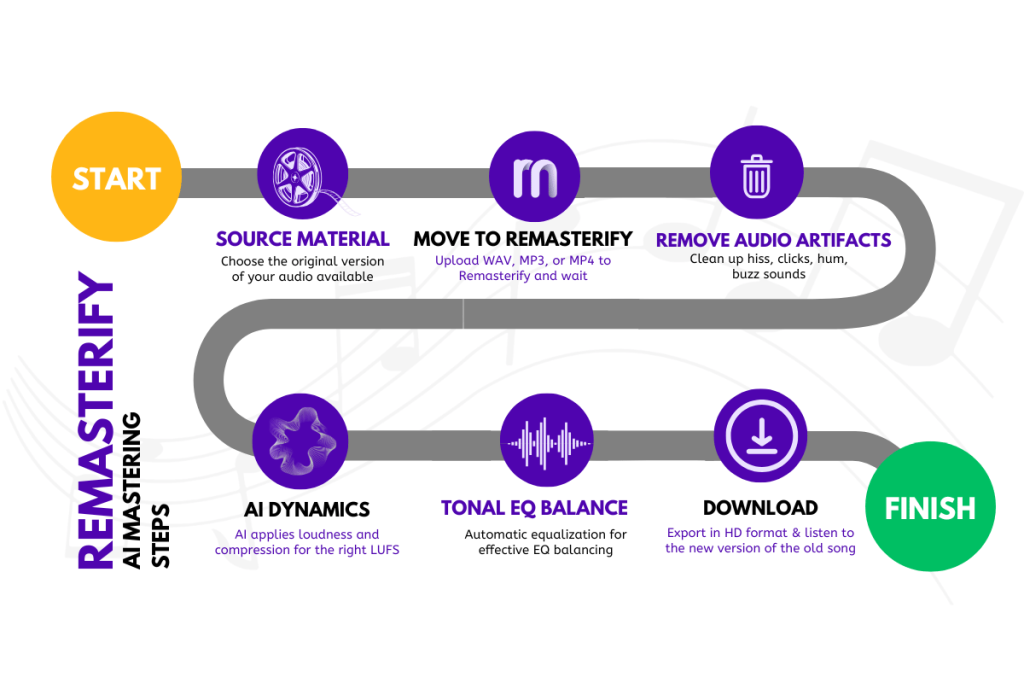
The product copy is built around three simple steps: upload, analyze/master, then preview and download. It also pushes “unlimited downloads” and quick revisions.
Workflow comparison table
| Step | LANDR | Remasterify |
| Start | Web mastering or DAW plugin | Web app upload flow |
| Guidance | Strong reference mastering feature | Reference recommendations + “Master Albums” positioning |
| Iteration | Can iterate, but the product feels more like a platform | Designed to re-run versions (endless revisions messaging) |
Reference tracks: the fastest way to sound consistent
Albums and EPs fail when track 3 sounds like it came from a different person.
Reference tracks reduce that problem fast.
LANDR is very clear: Reference Mastering lets you add up to 3 reference tracks to guide the algorithm.
That matters when the goal is “match this vibe.”
Remasterify also emphasizes reference-based mastering recommendations and even calls out Master Albums as a use case, which is basically “make tracks feel like they belong together.”
Simple rule:
If consistency matters, use reference tracks in whichever tool you pick.
Controls: how much you can shape the master
Some people want knobs.
Some people want fewer choices and fewer mistakes.
LANDR (more control styles):
LANDR’s plugin route is marketed as “AI mastering in your DAW,” which often appeals to engineers who like to stay inside their session.
Independent reviews and listings describe controls like EQ, compression, saturation, loudness, presence, and de-essing in the plugin. (Those details vary by product and version.)
Remasterify (simple creator controls):
Remasterify describes mastering with LUFS loudness control, stereo imaging, and noise reduction, and it focuses on fast results without complex plugin chains.
Controls comparison table
| Control need | LANDR | Remasterify |
| Want DAW workflow | Strong option (mastering plugin) | Not the main focus |
| Want quick cleanup | Not the headline | Noise reduction is a headline feature |
| Want simple decision steps | More “system” feel | Very “upload → master → export” |
Harshness, clipping, and “why does it sound crunchy?”
This is the pain point most buyers feel first.
A master should feel louder, not more painful.
Here is the important truth: AI mastering helps good mixes more than bad mixes.
If the mix is already clipping, the master will not magically restore missing audio.
What helps in real life is having a workflow that makes it easy to re-run versions until harshness drops and the master feels stable. That is where Remasterify’s “endless revisions” and unlimited mastering angle can be practical. (remasterify.com)
LANDR also provides educational content about mastering and tools around reference mastering, which helps people who want to learn how to feed the tool better. (LANDR Support)
Who should choose Remasterify?
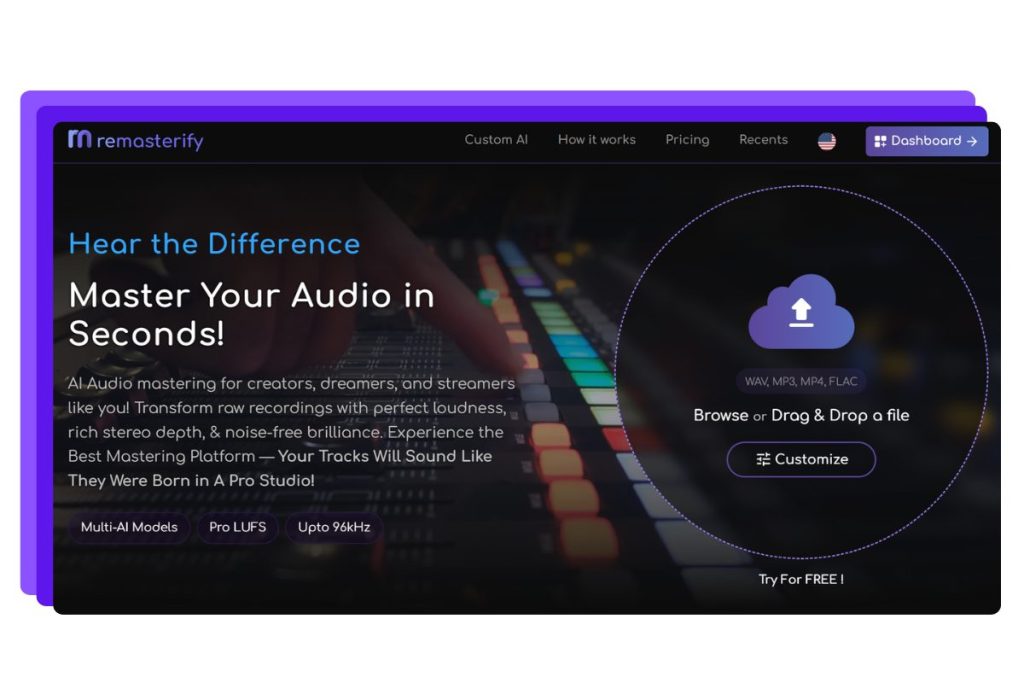
Remasterify makes more sense when the goal is repeatable output.
It fits people who release often and test many versions.
Choose Remasterify if these are true:
- A clear subscription that pushes Unlimited Mastering feels important.
- You want exports that include HD WAV, MP3, MP4 in the plan
- You master music plus creator audio and want features like noise reduction and loudness control in one place.
A simple way to decide in 10 minutes
This is a quick test that avoids overthinking.
It works even without fancy gear.
- Pick one finished mix (not clipping)
- Run it through both tools with default or mild settings
- Listen on earbuds and phone speaker
- Check three things:
- vocal clarity
- harshness in the chorus
- whether loud parts sound stressed
If one tool makes it easier to get a clean result in fewer tries, that is usually the right tool.
Final takeaway on LANDR vs Remasterify
LANDR is a mastering system with strong reference options and a DAW plugin path.
Remasterify is a mastering habit with simple pricing, unlimited mastering messaging, and quick exports.
For most people who release often and need many versions, Remasterify is usually the easier starting point in 2026.