
What is Mastering in Music?
Audio Mastering is the final stage in music production. It polishes the sound while retaining the natural characteristics of your creative intent.
If you’ve ever noticed your song sounds off on different speakers, maybe too muddy in your car, or too sharp on your phone, it’s likely because it’s not been properly mastered.
Professional mastering solves this EXACT problem.
During the mastering process, techniques like equalization, compression, stereo imaging, etc, are used. These tools help shape your track so it stands alongside the best in the industry. Read more to know about visual mastering techniques.
Fast-forward to now, mastering has become a no-brainer. This is mainly because of how Artificial intelligence is shaping the music industry. You can now achieve professional sound in absolutely no time.
However, this shift has also led to the launch of countless online audio mastering services. Sounds exciting, right? But also, it’s a little confusing.
Read more>> What Is Music Mastering? The Final Touch Before Song Publishes
Mastering Depends on Mixing. Why?
Let’s get one thing straight: you can’t master a bad mix into a great song.
If your track isn’t mixed well, no mastering tool or service, no matter how advanced, can turn it into a clean, professional sound. A poor mix only leads to a poorly mastered song.
That’s why it’s so important to get your mix right before mastering.
Less is more.
One of the best ways to get a solid mix is to simplify. Focus on clarity. Ensure that no frequencies clash with each other. Also, make sure that you CUT instead of constantly boosting frequencies.
The more polished your mix is, the better your final master you achieve.
Common Myths about Mastering (Are They True?)
“Mastering fixes bad mix”
Nope. Mastering is not magic. If your mix sounds messy, no amount of EQ, compression, or stereo imaging will make it radio-ready. Start with a clean, well-balanced mix.
“Louder always means better.”
Many artists chase loudness, thinking it equals quality. But over-compression can kill the dynamics of your track. A good final master balances loudness and clarity.
“All mastering services are the same.”
Not true. Some mastering services use AI, some use humans, and others use a blend. Choosing the right one depends on your needs, your budget, and how much control you want.
“You don’t need a reference track.”
Big mistake. Using a reference track helps ensure your song matches the tone, balance, and energy of other professionally released music. It’s one of the most powerful mastering tips out there.
“AI mastering can’t produce professional results.”
AI has come a long way. While it may not replace mastering engineers in all situations, today’s AI mastering tools can deliver clean, affordable mastering. Understanding these myths will help you approach the online audio mastering process with the right expectations and make smarter decisions for your music.
Types of Mastering Processes Available in Market
| Aspects | Studio Mastering | AI Mastering |
|---|---|---|
| Process | A real audio engineer masters your track in a pro studio with top gear. | AI software processes your track automatically using presets. |
| Speed | Usually takes a few days to even weeks depending on the studio’s schedule. | Super fast; your master is ready in just a few minutes. |
| Cost | It’s the most expensive option; great for big releases but hard on tight budgets. | Very affordable; great for new artists or if you’re just testing stuff out. |
| Sound quality | You get top-tier sound, customized for your track by someone who knows what they’re doing. | Decent quality, but it can sound a bit generic or “preset-like.” |
| Human touch | Yes, and that makes a huge difference for detail, emotion, and vibe. | No; everything is done by the software. |
| Gear & Environment | Uses premium analog and digital gear in an acoustically treated room. | Just software and cloud tools; no real studio or gear involved. |
| Customization | Totally, you can send a reference track and ask for a specific sound. | Very limited. You usually just pick a style or loudness level. |
| Uniqueness & Consistency | Yes, it’s tailored to your track. | Not really; tracks often end up sounding similar if everyone uses the same preset. |
| User Involvement | Usually, yes. You can give feedback or request changes. | Nope. It’s all automated with no back-and-forth. |
| Best for | Artists releasing serious projects or albums who want the best possible sound. | Bedroom producers, beatmakers, or anyone who needs quick, cheap mastering. |
How Much Does Mastering Cost? (Price Breakdown)
Factors Affecting Mastering Costs
Not all mastering prices are the same, and there’s a good reason for that.
The cost of audio mastering services can vary a lot depending on what you’re getting and who’s doing the work.
Here are the key things that affect what you’ll pay:
1. Experience of the Mastering Engineer
A highly skilled mastering engineer with years of industry experience will charge more. But with that, you usually get better quality and a more polished final master.
2. Type of Service
- AI mastering is often the cheapest.
- Hybrid services sit in the middle.
- Professional mastering from a studio costs the most but often delivers the best results.
Each music mastering service offers different levels of control, quality, and support.
3. Turnaround Time
Need it fast? Rush delivery will cost extra. Some audio mastering services charge more for 24-hour or same-day mastering.
4. Number of Tracks
Mastering a single track is cheaper than mastering a full album or EP. Some services offer bulk pricing if you’re submitting multiple songs at once.
5. Revisions and Customization
Want to request changes or use a reference track for a custom sound? Services that offer more personalization usually charge more than one-click options.
Understanding these factors will help you pick the right option, without overpaying for features you don’t need.
Comparative Analysis: Human Mastering vs. AI Mastering
| Parametre | AI Mastering | Studio or Manual Mastering |
| Cost | Typically, it ranges from $5 to $40 for every track. Ideal for artists who’re on a budget. | Generally, costs $70 to $120 per track, depending on the engineer’s experience and project complexity. |
| Turnaround Time | Delivers mastered tracks within minutes, offering instant results. | Turnaround depends on the engineer’s schedule and project requirements. |
| Sound Quality | Provides consistent results for well-mixed tracks but may struggle with complex or poorly mixed audio. | Offers nuanced and dynamic sound quality, with the ability to address complex issues and tailor the master to the artist’s vision. |
| Customization & Feedback | Limited customization options; lacks the ability to provide feedback or make subjective decisions based on artistic intent. | Highly customizable; allows for direct communication, feedback, and iterative revisions to align with the artist’s creative goals. |
| Emotional & Artistic Insight | Lacks the capacity to understand or enhance the emotional nuances of a track. | Capable of interpreting and enhancing the emotional and artistic elements of music, providing a more expressive final product. |
| Best Suited For | Demo tracks, quick releases, or projects with limited budgets and tight deadlines. | Commercial releases, albums, or projects requiring high-quality, personalized mastering with attention to detail. |
What Would Artists and Producers Do To Minimize Cost?
Mastering doesn’t have to break your budget.
You can still get a clean, professional-sounding track even if you’re working with limited funds. Here are some smart ways to plan your spending on audio mastering services:
1. Set Your Budget Early: Before you even start mixing, set aside a part of your budget for mastering. Don’t treat it as an afterthought. Your final master is just as important as your recording.
2. Match the Service to the Project: Releasing a single or demo? Consider AI mastering or affordable mastering platforms. Working on an album or an official release? Look into professional mastering or hybrid options. Different mastering services fit different goals. Spend where it matters.
3. Communicate Clearly: If you’re hiring a music mastering service, ask upfront what’s included in the price. Do they offer revisions? Do they accept reference tracks? This helps avoid surprise costs.
4. Try Before You Buy: Some platforms offer free previews or trial runs. Test a sample before committing. This helps you find the best value without wasting money.
5. Quality Over Cheap Deals: Don’t just chase the lowest mastering prices. Make sure the service delivers the professional sound your music deserves.
Even on a budget, you have options. The key is knowing your project’s needs and choosing the right path for your sound.
Choose the Right Mastering Service
The rise of AI mastering and online audio mastering platforms has given artists more options than ever. But not all audio mastering services are built the same. Here’s a closer look at the most popular platforms and what makes each one unique.
1. Remasterify
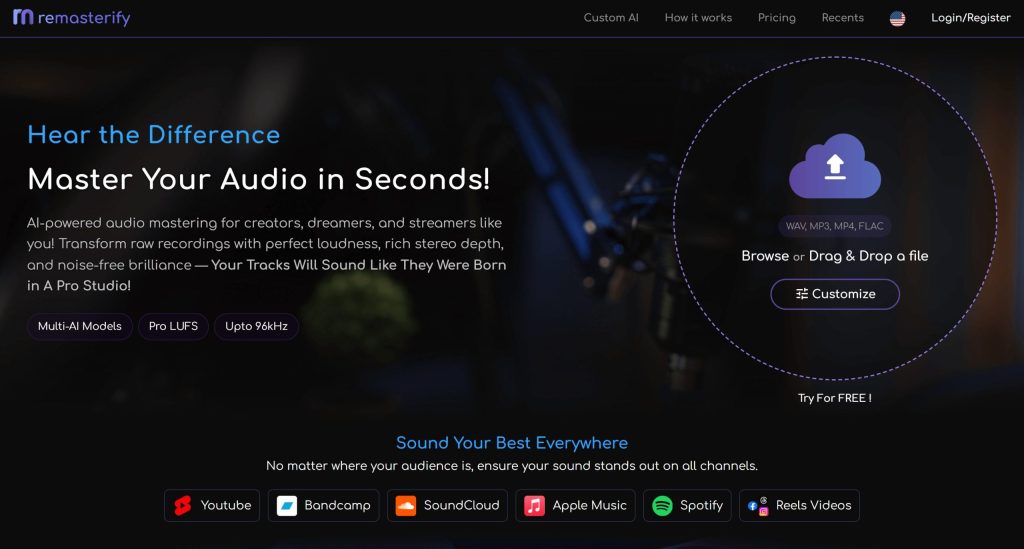
Remasterify is one of the best music audio mastering services out there. The tool adopts a personalized approach to mastering your song. It learns from what you upload and suggests the best possible result based on your audio style. It’s perfect for artists who want to get polished results fast without needing deep technical skills.
Starting Cost
$6.99/month or $69.96/year upfront
Benefits:
- Unlimited mastering with fast turnaround
- Personalized AI-enhanced mastering models
- Finetuning possibilities
- High-resolution audio formats
- Cloud storage
Pitfalls:
- Less control compared to human-based services
- May not fully match a detailed creative vision
2. eMastered
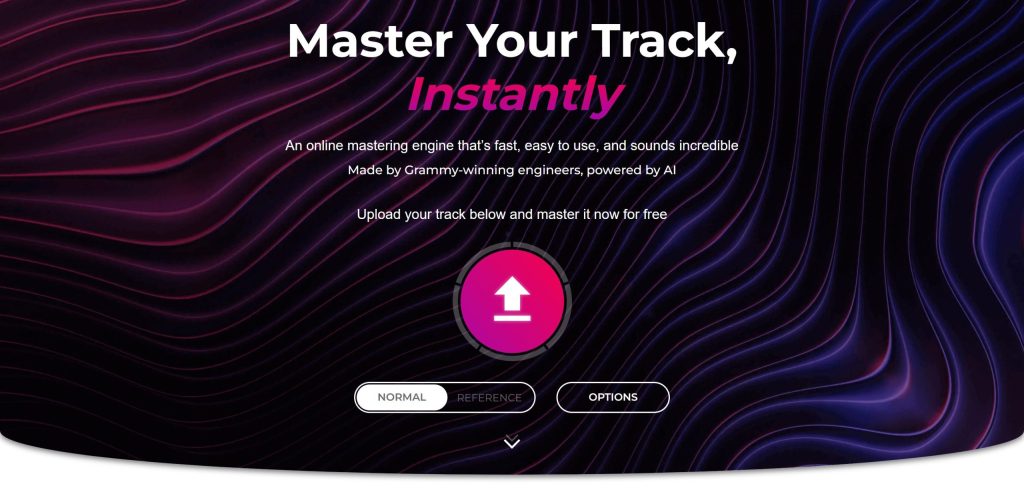
eMastered is an AI mastering tool created by Grammy-winning engineers. It uses genre-specific presets and audio recognition to give you a balanced, professional sound in minutes. It’s best for artists who want a more “hands-off” approach but still value some customization.
Starting cost: $15/month (Cancel Anytime) or $48 upfront
Benefits:
- Smart genre detection
- Access to track statistics
- Shareable library page showcasing your songs
- Cloud storage
Pitfalls:
- Not ideal for complex or experimental mixes
- May not fully match a detailed creative vision
- Chances of over-processing
3. BandLab Mastering
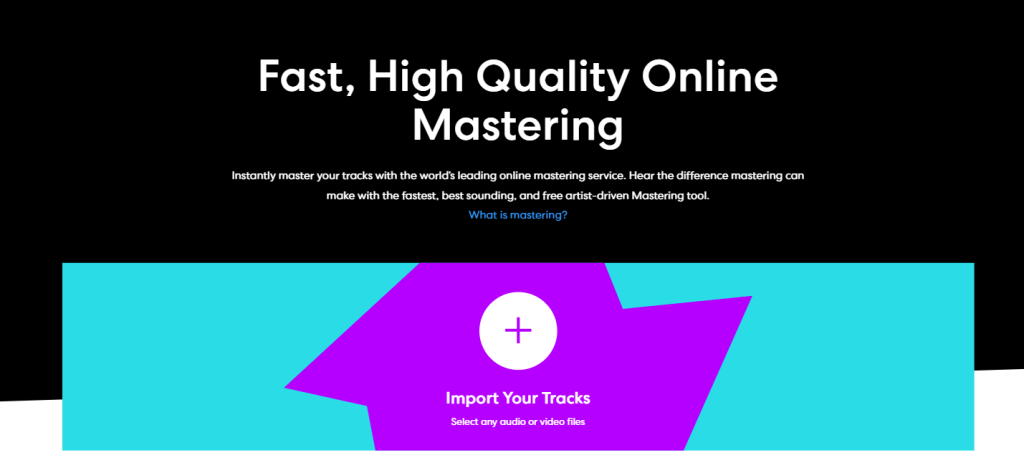
BandLab Mastering is a 100% free online audio mastering service. It’s built into the BandLab platform and offers a few one-click mastering presets like “Fire,” “Clarity,” “Tape,” and “CD Quality.” While it doesn’t offer deep control, it’s incredibly useful for quick demos and getting a feel for how your track sounds post-mastering.
Starting cost: 100% Free
Benefits:
- Predefined features
- Super Beginner Friendly
- Good for rough mixes, drafts, or early sharing
Pitfall:
- Fewer customization options
- Most features require a premium account
- Less advanced than paid audio mastering services
4. Freelance Mastering Engineers
Freelance mastering engineers bring a human touch to the mastering process. Many have years of experience, trained ears, and work in acoustically treated spaces. While the quality can vary depending on who you hire, this option offers the highest level of personalization and creative control.
Starting Cost: Highly variable, depending on various factors.
Benefits:
- Full creative control and direct communication
- Ability to request changes and give reference tracks
- High-quality results for commercial releases
- Tailored and unlimited revisions
- Overall better outcome
- Effectively meets industry standards
Pitfalls:
- Prices vary a lot depending on the engineer
- Turnaround time is typically longer
- It can be risky if the engineer isn’t experienced or responsive
5. LANDR
LANDR is one of the original and most widely used AI mastering tools. It uses machine learning trained on professional masters to deliver fast, genre-aware mastering. LANDR also allows you to use a reference track, giving you more control over the result. It’s good for artists looking for solid, no-frills mastering services.

Starting Cost: $8.25/month
Benefits:
- Allows use of reference tracks for a better match
- LANDR’s mastering tool is mobile-friendly and accessible on the go
Pitfalls:
- Lower-tier plans offer lower-quality file formats
- Very limited customizability options
- An expensive option compared to other tools
Here Are a Few Practical Use Cases for AI Mastering
Scenario 1: The Bedroom Beatmaker

You produce and sell beats online. You need fast, clean masters to upload to marketplaces. You’re not chasing perfection, just consistency across devices.
- Recommended: Remasterify
- Why: Fast, unlimited, and perfect for mastering beats with clean loudness and balance.
- Benefits: Affordable, quick turnaround, repeatable results
- What to Watch: Use a good reference track to guide the AI for better tonal matching.
Scenario 2: The Indie Artist on a Budget

You’re working on your first EP and plan to release it on streaming platforms. You want a polished, professional sound, but money is tight.
- Recommended: Remasterify or BandLab Mastering (for early drafts)
- Why: You can use AI for initial versions and get selective feedback if needed
- Benefits: Very affordable mastering options, no long wait times
- What to Watch: Don’t skip mix quality. Mastering can’t fix a messy mix
Scenario 3: The Artist Preparing for a Label Pitch

You’re submitting music to a label or sync placement, and first impressions matter. You need your track to sound like it belongs on the radio.
- Recommended: Freelance mastering engineers (Fiverr/Upwork) or Studio Mastering
- Why: Human ears will better understand your genre and help create a standout final master
- Benefits: Deeper customization, feedback loop, professional mastering standards
- What to Watch: Build in extra time and budget for revisions and communication
Scenario 4: The Full Album Release
You’ve got a 10-track album and need each song to sound consistent yet unique. You’re going all in; this is your passion project.
- Recommended: Professional Studio Mastering
- Why: Albums require sonic cohesion across tracks, and human engineers handle that best
- Benefits: Artistic control, detailed dynamics, the best option for creating an album-ready music mastering experience
- What to Watch: Higher mastering prices, but worth it for long-term value and credibility
Scenario 5: The DIY-First Experimenter
You like to do everything yourself. You’ve tried mixing, and now you want to see what mastering is all about.
- Recommended: Remasterify Mastering
- Why: It is a great way to test mastering tools and learn what works at the best affordable price.
- Benefits: Free or low-cost, quick to experiment, zero pressure
- What to Watch: Don’t release until you’ve tested on multiple devices (phone, car, monitors)
Don’t fall for These Common Mastering Pitfalls
Ensure Return on Investment (ROI)
Mastering isn’t just a technical step; it’s an investment in your music’s future.
But to get real value from it, you need to make smart choices throughout the process. Here are the top things to keep in mind when using any audio mastering service, so your money works for your music.
1. Define Your End Goal: What are you mastering the track for?
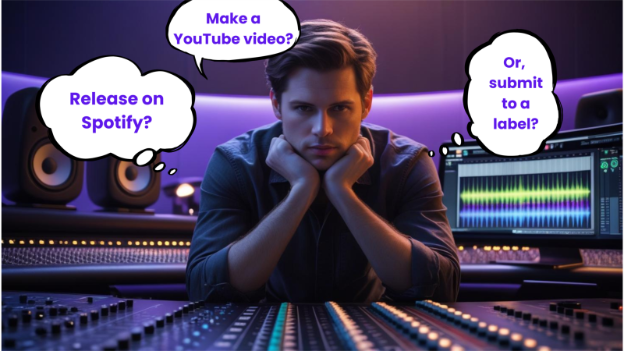
- A Spotify release?
- A YouTube video?
- Sync licensing or label submission?
Knowing your goal helps you decide if you need professional mastering or if a quicker, affordable mastering option will work.
2. Start with a Solid Mix
No mastering tool can fix a messy mix. Make sure your mix is clean, balanced, and free from clipping. This ensures your final master sounds the way it should—across all devices.
3. Choose the Right Service for the Job
Don’t overpay for features you won’t use. If you’re mastering beats for online sales, AI might be enough. If you’re releasing a full project or want deep sonic polish, a professional mastering engineer is worth the extra cost.
4. Use Reference Tracks
A good reference track helps guide the sound. Whether you’re using AI or working with an engineer, referencing helps you get closer to that professional sound you’re aiming for.
5. Make Use of Revisions
If your music mastering service allows revisions—use them. One small tweak can be the difference between “good enough” and “ready to release.”
6. Test Before You Publish
Before releasing your song, test your final master on multiple systems—headphones, car speakers, Bluetooth devices, and more. This ensures it holds up in real-world listening. By taking these steps, you make sure every dollar spent on mastering delivers value—and helps your track stand out.
Frequent Mistakes in Mastering
Even experienced producers can make mistakes during the mastering process. These errors can make your track sound harsh, muddy, or flat—no matter how good the mix is. Here are some common mastering mistakes to watch out for:
1. Over-Compressing
Trying to make a track sound louder often leads to squashing the dynamics. This can kill the energy of your song. A professional master should feel powerful—not lifeless.
2. Misusing EQ
Too much boosting and not enough cutting can make your track sound unnatural. Instead, use dynamic EQ to clean up problem areas and bring clarity without ruining the balance.
3. Ignoring Stereo Imaging
If your stereo field is too wide or too narrow, your final master may sound off. Poor stereo imaging can affect how your track plays on different systems, like earbuds vs. speakers.
4. Using Generic Presets
Mastering plugins often come with presets, but they don’t fit every track. Relying only on presets without listening critically can lead to a flat or mismatched music mastering result.
5. Not Comparing to a Reference Track
Skipping the reference track means you’re flying blind. Without a pro-level comparison, it’s easy to under- or over-process your track.
6. Mastering a Poor Mix
Mastering isn’t a fix-all. If your mix has issues, the master will just highlight them. Clean up your mix first; mastering services work best when they have good material to enhance.
Avoiding these mistakes will help you get the best results from any audio mastering service and make your track sound as good as it should.
Will AI Mastering Increase in the Future?
Smarter AI Is Changing the Game
AI mastering is no longer just fast; it’s getting smart.
Modern AI mastering tools now do more than boost loudness. They can recognize your genre, detect mixing issues, and even follow the feel of a reference track.
Platforms like Remasterify and others are using AI to suggest custom mastering settings based on your mix. Some services also match your sound to industry standards for streaming platforms like Spotify and Apple Music.
You no longer need to guess what your song is missing. Smart AI tools can spot problems with your stereo imaging, dynamics, or EQ, and adjust them in seconds. This makes audio mastering services faster, easier, and more beginner-friendly than ever.
Still, AI won’t fully replace real mastering engineers. But it’s a great option for artists who want affordable mastering with professional-level results, especially for singles, demos, or quick releases.
As AI keeps improving, it’s becoming a real part of the mastering process, not just a shortcut.
Immersive Audio is the New Standard
Music is no longer just left and right; it’s all around.
With the rise of immersive audio formats like Dolby Atmos and spatial audio, artists now have the chance to create deeper, 3D listening experiences.
Platforms like Apple Music and Tidal already support these formats. That means your listeners might hear your music in a whole new way. This makes mastering more than just balancing levels. It’s about shaping space, depth, and detail.
Audio mastering services that support spatial audio are becoming more common. However, they still require advanced knowledge and proper gear. Working with professional audio mastering services is the safest way to get a professional sound.
Immersive mastering isn’t a trend. It’s the future, and it’s already here.
The Future of Loudness Normalization & Personalized Audio
Loudness isn’t about being the loudest anymore.
It’s about sounding right everywhere. Streaming platforms like Spotify, YouTube, and Apple Music now use loudness normalization. That means if your track is too loud, the platform will turn it down. If it’s too quiet, it might not hit as hard as other songs.
This makes mastering more technical and more important. Your final master needs to hit the right loudness target without losing punch, dynamics, or professional sound.
That’s where tools like dynamic EQ, true peak limiting, and proper stereo imaging come into play. More mastering tools are starting to include loudness-specific settings so your music meets platform standards right out of the gate.
But there’s another shift coming: personalized audio. Platforms are testing ways to adjust sound based on the listener’s mood, device, or preferences. Some AI mastering tools are already starting to adapt to this.
For artists, this means mastering could soon be less about “one size fits all” and more about delivering different versions for different contexts. Staying updated with music mastering trends like this can help your track compete and connect with more listeners.
Frequently Asked Questions
Mastering is the final step in music production. It makes your track sound polished, balanced, and ready for all platforms: streaming, radio, or vinyl.
Start with a clean mix, leave enough headroom, and use a reliable audio mastering service like Remasterify to get clear, consistent results.
Yes—especially if you’re releasing music to the public. Mastering improves sound quality, loudness, and playback across different devices.
AI mastering tools analyze your track’s frequencies, dynamics, and loudness. Platforms like Remasterify use smart algorithms to apply the best settings based on your music style.
Use proper stereo imaging and balanced EQ, and test your final master on headphones, speakers, and car systems. Remasterify automatically optimizes your track for all devices.
Yes. A reference track helps match the tone and balance of your favorite songs. Remasterify lets you upload one to guide the mastering process.
AI is faster and more affordable, perfect for singles, demos, or quick releases. Human engineers offer more detail, but AI mastering, like what Remasterify offers, is closing the gap fast.
Absolutely. Leave around -6 dB of space so the mastering tool can work cleanly without distortion or clipping
Final Thoughts
Mastering is the final step that makes your music sound clear, loud, and ready to release. It brings balance, energy, and polish to your track. Whether you’re making beats, recording vocals, or finishing an album, mastering helps you stand out.
There are many ways to master today. Some fast, some more detailed. Knowing your goals helps you choose the right path. AI tools make mastering quick and easy, especially for demos or singles.
If you want something fast, smart, and reliable, platforms like Remasterify can be a helpful starting point. You don’t need a big studio to get a clean, professional sound.
Take your time, trust your ears, and give your music the finish it deserves.
###