
Many beginners notice a strange pattern when they first start recording music, podcasts or voice overs. A mix that feels clean in one device suddenly feels harsh, muddy or weak on another. This is one of the most common beginner problems in audio production, yet very few guides explain why it happens in a way that actually feels relatable.
Anyone who has created even a simple track knows that moment. The vocal sounds rich in your headphones but turns thin in the car. The beat feels balanced on your laptop but loses energy on a phone speaker. These differences are not random errors. They happen because every device plays sound differently, and because an unmastered track is not built to handle those changes. In this guide, we will look at why this happens and how proper mastering reduces these problems.
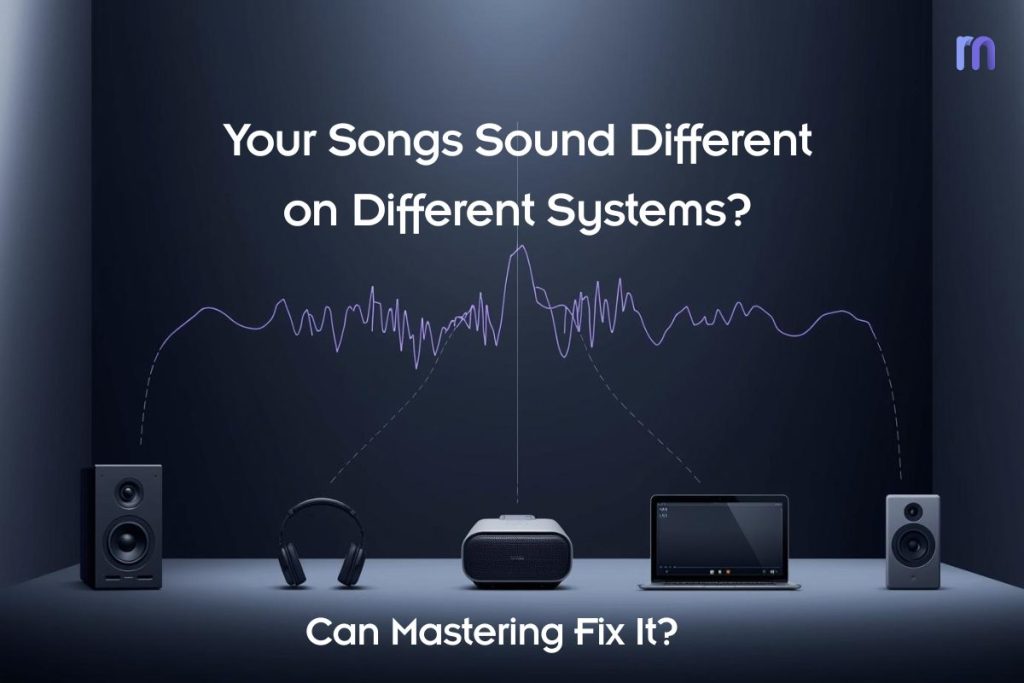
Table of Contents:
“It Sounds Great In My Headphones, So Why Is It Bad Everywhere Else?”
Why Your Song Changes On Headphones, Phone, Laptop And Car Speakers
Is The Problem My Mix, My Speakers, or My Room?
How Songs, Podcasts and Voice Overs React on Different Devices
How Your Mixing Choices Decide Whether Your Track Translates Well
What Mastering Really Does to Make Your Track Work Everywhere
Where AI And Online Mastering Tools Fit in Your Workflow
“It Sounds Great In My Headphones, So Why Is It Bad Everywhere Else?”
Your mix sounds different on every device because each system has its own frequency curve, speaker size and playback limitations. This affects how the low end, mids and high frequencies translate, especially when the track is not mastered for consistent playback. Most beginners build their entire mix around one environment, usually headphones or a laptop, which hides many balance issues that only appear once the audio is played in the real world.
Headphones boost detail and often exaggerate stereo width, so vocals, reverb and high frequencies feel clearer than they actually are. A phone speaker, on the other hand, cannot reproduce deep bass, which makes a mix feel thin even when the low end is technically present. Car systems often boost sub frequencies and upper mids, so a track that sounded controlled at home can feel overpowering or too sharp. Without proper mastering to control dynamic range and frequency balance, these shifts become very noticeable.
This inconsistent behavior is normal, not a sign of poor skill. It happens because your mix is reacting to the playback environment rather than holding its shape. Understanding this pattern is the first step toward improving mix translation and preparing your track for mastering, which is designed to make your audio more stable across every system.
Why Your Song Changes On Headphones, Phone, Laptop And Car Speakers
Your song changes from device to device because each playback system shapes sound with its own limitations, frequency response and loudness behavior. This directly affects how bass weight, vocal clarity and stereo width translate, especially when the track has not been mastered for consistent listening. A mix that feels balanced in one system can shift very quickly once it meets a different set of speakers.
Headphones often highlight detail, which makes you feel your vocal is cleaner and your reverb sits perfectly. A laptop speaker reduces low end and narrows the stereo field, so the track suddenly feels smaller. Phone speakers remove almost all sub bass, which makes kicks and bass lines vanish. Many car systems exaggerate low frequencies and upper mids, creating a punchier but often harsher version of your mix. Apps and streaming platforms also apply their own compression and loudness normalization, which can influence dynamic range and tonal balance.
These changes are not technical mistakes. They are the natural result of your audio being played through different physical systems. Mastering helps by applying tonal correction, level control and subtle processing that lets your track stay stable across environments. When this foundation is missing, every device will reveal a different weakness.
Is The Problem My Mix, My Speakers, or My Room?
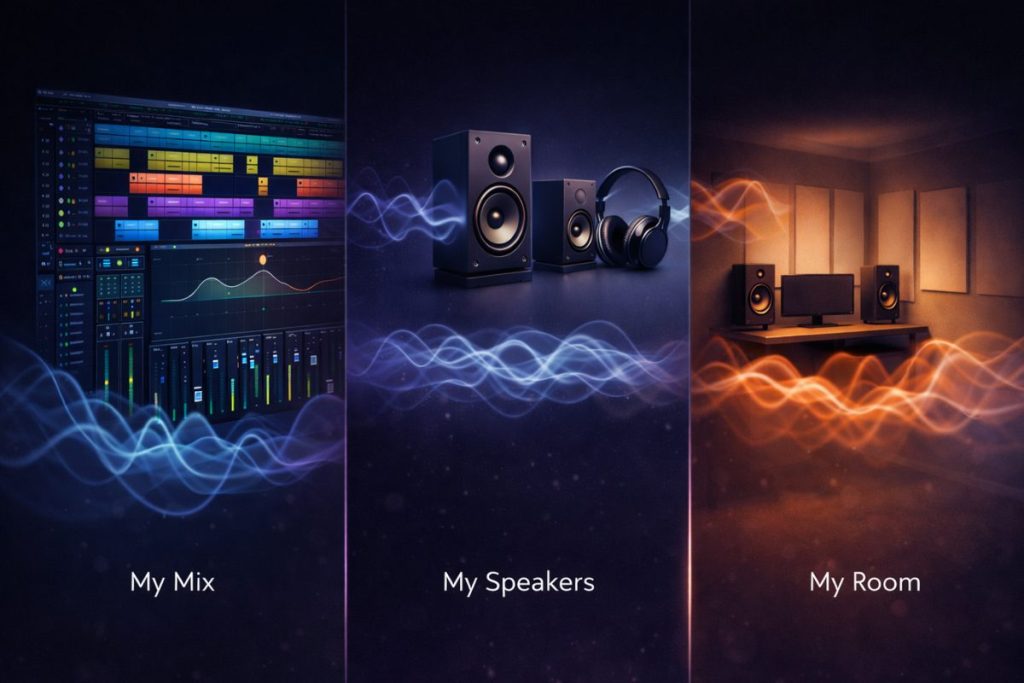
This problem can come from the mix, the speakers or the room, depending on how each element interacts with the audio. Beginners often assume the mix is broken when the real issue is inaccurate monitoring or a room that distorts low frequencies. Understanding the source of inconsistency helps you make better mixing and mastering decisions.
Many rooms exaggerate bass or remove it entirely, so you may think your low end is balanced when it is actually uneven. Consumer speakers and cheap headphones also reshape the sound, making vocals brighter or duller than they truly are. Sometimes the mix itself is the cause, especially when the midrange is not controlled, or the dynamics are too wide for real-world playback. Each of these factors can influence how your track translates once it leaves your setup.
A simple way to identify the real issue is to compare your track with a reference song on the same device. If both shift in a similar way, the device or room is responsible. If only your track collapses or changes aggressively, the mix likely needs improvement. Clarifying this early makes mastering far more effective and prevents guesswork in your workflow.
How Songs, Podcasts and Voice Overs React on Different Devices
Songs, podcasts and voice overs behave differently on every device because each source depends on a slightly different part of the frequency spectrum. Music leans on low end and stereo width. Spoken audio depends on clean mids and stable dynamics. When your mix is not mastered for translation, each playback system highlights or hides certain details, which is why the same file can feel balanced in one place and unstable in another.
Here are the main ways this reaction shows up:
- Music loses depth or punch when the device cannot reproduce bass.
- Voice recordings shift tone depending on how a speaker treats midrange.
- Background sounds and effects change position or loudness between systems.
Different devices emphasize different traits. A phone speaker removes almost the entire low end, so kicks and bass lines collapse even when the mix is technically correct. A car system often boosts sub frequencies and upper mids, which can make speech sound louder than intended or make cymbals feel sharper. Podcast episodes also change character because many consumer devices exaggerate the 2 kHz to 4 kHz range, where clarity lives. This can make a calm voice suddenly feel harsh or thin.
These differences are simply the physics of playback, not a sign that the recording is flawed. Mastering works to reduce this gap by shaping frequency balance and managing dynamics so music and voice content stay more consistent across phones, laptops, monitors and car speakers.
How Your Mixing Choices Decide Whether Your Track Translates Well
Your mixing choices control how well your track survives playback on different systems. Translation problems usually appear when the low end is unbalanced, the mids are unclear or the highs are too bright. These decisions shape how the mix reacts once it leaves your headphones, and they become even more noticeable when the audio is unmastered.
Here are the mixing choices that most often affect translation:
- Low-end levels that feel right in one device but collapse in smaller speakers.
- Vocal placement that shifts when mids are not properly controlled.
- High frequencies that turn harsh on consumer systems with boosted upper mids.
Phones remove deep bass, so any mix that relies too heavily on sub energy will feel hollow. Car systems often exaggerate the low end, which can make a balanced mix suddenly feel boomy or overpowering. If the vocal sits too low in the mix, it becomes less intelligible once room reflections or noisy environments add interference. Bright mixes also react differently because many devices enhance upper midrange, affecting sibilance and cymbal tone.
All of these reactions are direct consequences of mixing decisions rather than random playback errors. When the mix has stable low end, controlled mids and smooth highs, mastering can refine it further and help the track feel more consistent across a wide range of listening environments.
What Mastering Really Does to Make Your Track Work Everywhere
Mastering strengthens the parts of your mix that fall apart on different systems and stabilises the overall sound so it reacts consistently across headphones, phones, laptops and car speakers.
How mastering balances frequencies for real world playback
Mastering engineers listen for uneven lows, muddy mids and sharp highs that only appear on specific speakers. Subtle EQ adjustments help your track hold its shape whether it is played on a phone or a larger system. This step stops bass from disappearing on small speakers and prevents highs from becoming harsh in car stereos. It keeps the musical foundation intact so the overall tone feels steady across environments.
How mastering manages loudness and dynamic range
Every device and platform treats loudness differently. Mastering sets controlled levels that work with streaming normalization rather than fighting it. This helps you avoid sudden jumps in volume and prevents quiet parts from getting lost in noisier playback environments. The dynamic range becomes more predictable, which makes the listening experience smoother across devices.
How mastering stabilizes stereo width and mono compatibility
Wide mixes may sound exciting in headphones but collapse in speakers with limited stereo imaging. Mastering checks how the track behaves in both stereo and mono. This ensures important elements like vocals and kick drums stay centered and consistent. Even if a device narrows the stereo field, the core of the track still feels intact.
Can Mastering Save a Bad Mix, or Only Polish a Good One?
Mastering can improve clarity, balance and loudness, but it cannot fully repair a mix with major issues. If the vocal is buried, the low end is unstable or the arrangement is conflicting, mastering will only highlight those problems rather than hide them. It is designed to refine the final sound, not rebuild it.
However, a decent mix benefits significantly from mastering because the process enhances the overall tone and creates stability across devices. If the track already has a clear structure and controlled dynamics, mastering can help it translate far better in real world listening. The goal is not perfection but consistency, and that is where mastering offers the most value.
Where AI And Online Mastering Tools Fit in Your Workflow
Online AI mastering tools make the process far more convenient for beginners because they remove the need for expensive hardware, complex plugins or long technical learning curves. You upload your track, choose a style, and the processing happens automatically with settings optimized for real world playback. This helps creators who record at home or on mobile devices finish their projects without worrying about complicated mastering chains or platform-specific loudness rules.
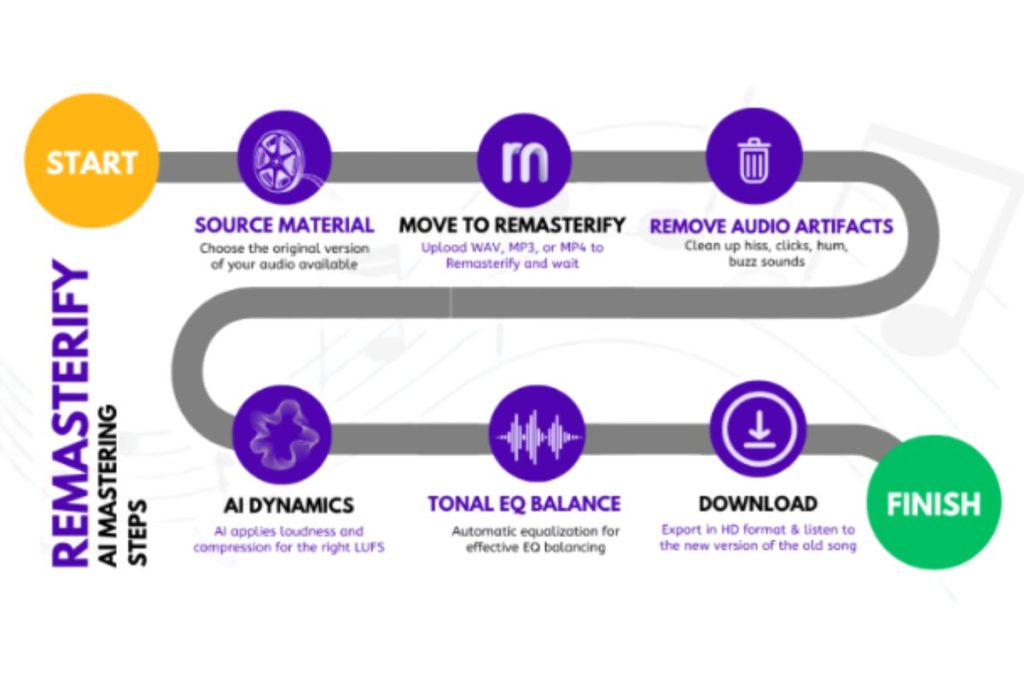
Introducing Remasterify, which offers one of the most affordable and flexible AI mastering setups available. It lets beginners customize their sound without extra costs and gives advanced users enough control to shape tone, loudness and stereo width according to their taste. You can work quickly and still get results that feel consistent on every device.
Here is what makes it simple to use:
- Upload your audio file in any standard format.
- Choose your preferred mastering intensity and style.
- Apply optional stereo widening or noise reduction if needed.
- Compare the original and mastered version instantly.
- Download the final file without hidden limits or long wait times.
Remasterify keeps the workflow short and practical; so creators can focus on recording, mixing and sharing their work instead of fighting complicated audio settings.
A track that holds its shape across every device is one of the most satisfying moments in the creative journey, and it becomes much easier when you have a mastering workflow that does not slow you down. If you want to hear how your own recordings react after a proper master, try Remasterify for free and feel the difference in clarity, balance and consistency. It is a simple way to finish your songs, podcasts or voice overs with confidence, and it gives you the freedom to focus on creating rather than worrying about how your audio will sound outside your headphones.