
Don’t you want your song to stay clean and powerful, even when someone turns the volume up?
A lot of tracks start sounding harsh or distorted at higher volume, and that is where many new music creators get confused. The good news is that the reason is usually not as complicated as it sounds. In many cases, it comes down to headroom in audio.
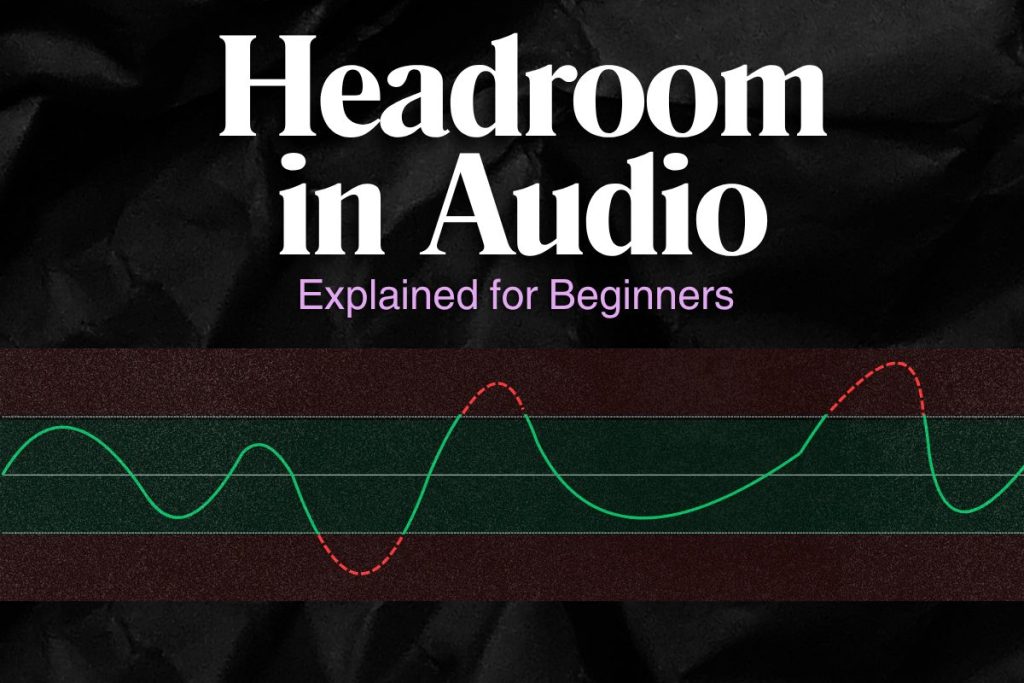
Headroom is the small amount of safe space between your current audio level and the point where the signal starts clipping or distorting. In simple words, it is the extra room your sound needs before it gets too loud and starts breaking.
Once you understand how headroom works, it becomes much easier to protect your mix from sounding crushed or messy.
In this blog, we will break down this simple but important concept so you can use it to make cleaner, stronger music.
What Is Headroom in Audio?
Headroom in digital audio is the difference between your signal’s highest peak and 0 dBFS, which is the hard ceiling in a digital system. If your track peaks at -6 dBFS, that means you have 6 dB of headroom left before clipping.
Think of it like the empty space at the top of a cup. That space is not wasted. It is what stops the sound from spilling over into clipping, distortion, and messy peaks.
In simple terms, adding headroom means:
- Extra safety before clipping
- Cleaner peaks and transients
- More control during mixing and mastering
- Less risk of distortion when the song gets loud
Headroom is not about making your track weak. It is about giving your sound enough room to stay strong without breaking.
Why Headroom Matters
Headroom matters because audio does not just need loudness. It also needs space. When a track has enough headroom, loud moments can hit hard without immediately collapsing into distortion or harsh digital artifacts.
It also makes your workflow easier. A mix with proper headroom is easier to shape, easier to master, and less likely to cause problems when it is exported, encoded, or uploaded to a platform.
Why headroom matters (in short)
- It helps prevent clipping
- It protects the clarity of your mix
- It preserves punch and dynamics
- It gives mastering processors room to work
- It supports a better balance across your mix
This matters even more today because streaming platforms are not rewarding extreme loudness the way they once did. Interestingly, on-demand music services are adopting moderate loudness targets to better match content and provide more headroom, which helps improve dynamic quality.
Headroom vs Clipping
These two ideas are connected, but they are not the same thing.
Headroom is the safe space you still have. Clipping is what happens when that safe space runs out.
When your signal goes past 0 dBFS in digital audio, it clips. Audient explains that exceeding 0 dBFS causes digital clipping, which you hear as loud clicks and noisy artifacts.
The difference in plain words
- Headroom = room left before trouble
- Clipping = the trouble itself
- More headroom = safer, cleaner sound
- No headroom = higher chance of distortion
A track with good headroom can still sound powerful. A track with no headroom may sound loud at first, but it is much more likely to sound harsh, crushed, or broken.
How Much Headroom Should You Leave in Audio?
There is no single number that fits every stage. The right amount depends on whether you are recording, mixing, or delivering a finished master.
Audient recommends a healthy recording peak target of around -18 dBFS to -12 dBFS for individual tracks. For mixing, it recommends leaving around 3 to 6 dB of headroom on the master output before mastering.
A simple beginner guide
- Recording: aim around -18 dBFS to -12 dBFS peaks
- Mixing: leave around -6 dBFS to -3 dBFS on the master
- Mastering: final masters can sit much closer to the ceiling
Streaming adds another layer. Spotify says it normalizes playback to -14 dB LUFS, leaves 1 dB of headroom for lossy encodings, and recommends keeping masters below -1 dB TP to avoid added distortion during transcoding.
Spotify also notes that if a track is -20 dB LUFS with a -5 dBFS True Peak, it may only be raised to -16 dB LUFS, not all the way to -14, because of headroom limits.
So, headroom is not just a studio habit. It also affects how your audio behaves on streaming platforms.
Headroom in Recording, Mixing, and Mastering
Headroom matters at every stage, but the reason changes depending on the job.

In recording
During recording, headroom protects you from unexpected peaks. Singers get louder. Drummers hit harder. Guitarists dig in. If you record too hot, those sudden moments can clip the input before you get a chance to fix anything.
Why recording headroom matters:
- Protects the take from clipping
- Gives performers room for dynamic changes
- Keeps the signal cleaner for mixing later
In mixing
In mixing, headroom gives your plugins, buses, and master channel room to breathe. If your mix is already too close to the ceiling, even a small EQ boost or compressor gain change can push it into trouble.
Why mixing headroom matters:
- Let’s you process tracks more safely
- Prevents your master bus from overloading early
- Makes the mix easier to send to mastering


In mastering
At the mastering stage, headroom matters because final loudness decisions are being made. Spotify’s own tips recommend aiming for -14 dB integrated LUFS and keeping the master below -1 dB TP max, or below -2 dB TP.
If the track is mastered louder than -14 LUFS, it has the potential for distortion when encoded for streaming.
Headroom in mastering is not about staying quiet. It is about staying clean while getting loud enough.
But you have already recorded your audio, what to do now?
AI mastering is the right way for you, then.
Yes, AI tools like Remasterify can help you smoothen your sound and give it an edge that it deserves.
How to Fix Headroom Problems in Audio Recording
If your recording clips too easily, the problem usually starts at the input. The simplest fix is to lower the gain before the signal gets recorded.
A lot of beginners record too hot because they think louder input means better quality. In reality, modern digital recording gives you plenty of room to record safely without hugging the ceiling.
Do these instead
- Lower your interface or preamp gain
- Leave room for sudden loud notes
- Watch the input meter, not just your ears
- Do a short test take before recording the full part
Aim to keep peaks around –18 dBFS to -12 dBFS for recording, which gives enough space for enthusiastic performances without clipping.
If your recording already feels too hot, turn it down at the source. Fixing headroom early is much easier than repairing clipped audio later.
How Headroom in Audio Amplifiers Works
In amplifiers, headroom means the amount of clean power available before the amp starts to distort. It is the extra space between normal operating level and the point where the amplifier begins to break up.
This idea is a little different from digital headroom, but the logic is similar: more room means cleaner sound before overload.
In practical terms
- More amp headroom = louder clean playback
- Less amp headroom = distortion starts sooner
So, when people say an amp has “a lot of headroom,” they usually mean it can get louder while still sounding clean.
Common Headroom Mistakes
Most headroom problems come from small habits that stack up.
Common mistakes beginners make (you should avoid these)
- Recording too hot
- Mixing into a limiter too early
- Pushing the master close to 0 dBFS too soon
- Confusing loudness with quality
- Ignoring low-end buildup
- Assuming red meters are harmless
Another big mistake is thinking that if the song sounds loud, it must be fine. Loud is not the same as clean. A track can feel exciting for a moment and still be technically unstable underneath.
The safest mindset is this: save loudness for the right stage and protect your headroom before you get there.
How to Create More Headroom in Your Mix
Creating headroom is not always about turning the whole track down. Often, it is about making smarter decisions inside the mix.
Compressors can help tame wild transients that eat up headroom, and EQ can reduce unnecessary low frequencies that consume level without adding useful musical value.
Practical ways to create more headroom (without deleting the track)
- Lower overly loud track levels
- Tame sharp peaks with gentle compression
- Clean up low-end clutter with EQ
- Cut harsh resonances that spike the meter
- Improve the balance between loud and quiet elements
- Simplify crowded arrangements
- Avoid unnecessary bus and master limiting
A simple rule to remember
If one kick, snare, vocal peak, or bass hit is eating all the room, fix that source first. A mix usually gains more headroom through better level choices than through one giant master fader move.
More headroom often means a cleaner, more confident mix overall.
Good headroom helps your mix breathe.
Remasterify helps you turn that into a cleaner final sound.
Audio Headroom FAQ
What is headroom in audio in simple words?
Headroom is the extra safe space between your current audio level and the point where the sound starts clipping or distorting.
Is headroom the same as dynamic range?
No. Headroom is the space left before clipping. Dynamic range is the difference between the quietest and loudest parts of the signal.
How much headroom should I leave for mastering?
A common beginner target is around 3 to 6 dB of headroom on the mix bus before mastering. Audient specifically recommends leaving between -6 and -3 dBFS at the loudest point in the mix.
What happens if I run out of headroom?
Once you run out of headroom, your signal is much more likely to clip. In digital audio, that usually means harsh artifacts, distortion, and a less professional-sounding result.
Does Spotify care about headroom?
Yes. Spotify says it leaves 1 dB of headroom for lossy encodings and recommends keeping masters below -1 dB TP to avoid extra distortion during transcoding.
Can a track have too much headroom?
Yes, if it is excessively quiet for no reason. The goal is not to make your mix weak. The goal is to leave enough space for clean processing and safe playback.