
If you make music or spend time mixing, you will probably come across auxes and buses sooner or later.
And honestly, it is much better to understand them before you get deep into the process.
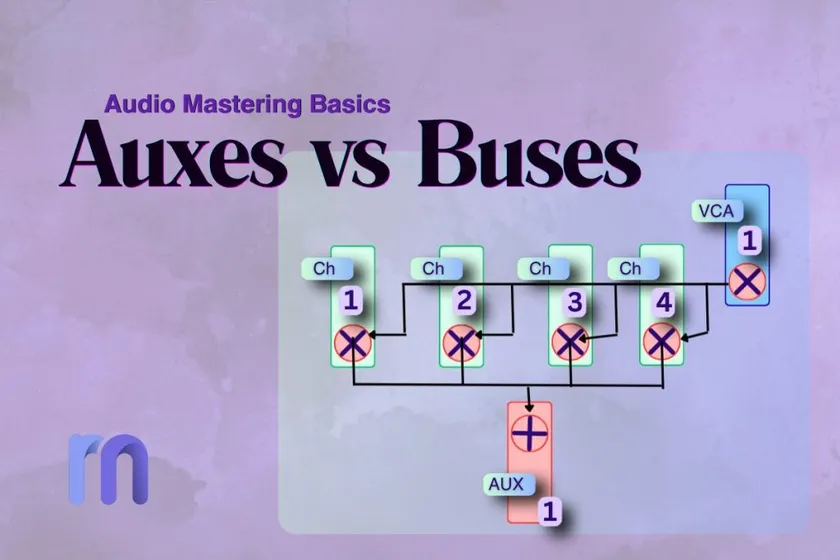
You may have already seen both terms inside your DAW and wondered why there needs to be two different channels in the first place. Or maybe you started mixing for the first time and noticed that auxes and buses suddenly appear the moment you start working with sound groups and effects.
Maybe you are a songwriter who recently started producing your own music and just wanted to understand how professional sessions are organized.
That is usually how it begins.
Creators who want to grow beyond the basics and make music more professionally eventually need to understand how these routing tools work.
So, if that is where you are right now, you are in the right place.
In this guide, you will learn what auxes and buses really mean, how they are different, and how they can help you give your mixes a more professional feel.
Should we start clearing the confusion first?
If auxes and buses confuse you, you are not alone
If you have ever opened your DAW, seen words like aux, bus, or send, and felt your brain quietly shut down for a second, that is completely normal. A lot of creators hit this point. They can write songs, record ideas, stack sounds, and even build full sessions, but when it comes to routing words, everything suddenly starts sounding more complicated than it needs to be.
Most creators do not struggle because they are bad at mixing. They struggle because audio words are often explained badly. A lot of guides jump straight into technical definitions and forget that most people first need a simple picture in their mind. Once that picture is clear, the rest becomes much easier.
So, let’s slow it down and make this feel human.
First, let’s clear up the big confusion
A bus and an aux are both audio paths, but they are used differently.
That is the first thing to understand. They both help move sound around your session, but they serve different purposes. If you try to learn them as if they are the same thing, they will keep confusing you.
A bus is mostly about bringing sounds together so you can control them as one group. An aux is mostly about enhancing a sound by adding extra processing, like reverb or delay, without replacing the original sound.
That one difference changes everything.
You can think of it like this: a bus is where sounds meet, and an aux is where a sound goes to get extra help.
What is a bus
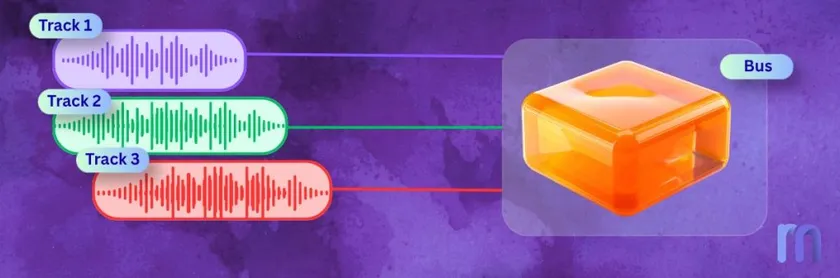
A bus is a shared path where multiple sounds can travel together. Instead of treating each sound individually, you can send them all to a single place and control them as a group.
Imagine you have a full drum kit in your session. The kick, snare, hi-hats, toms, and overheads are all on separate tracks. That is normal. But if you want those drums to feel like one unit, you can send them all to a drum bus. Now, instead of adjusting each drum track all the time, you can shape the full kit from one place.
That is why buses are so useful. They make groups of sounds easier to manage. They also help the mix feel more organized, because sounds that belong together start behaving as a group.
A bus does not usually exist to add a special effect. Its main job is to collect sounds and let you treat them as a single section of the song.
When should you use a bus?
You should use a bus when several tracks belong together and need to move together.
If you have a backing vocal group, a bus makes sense. If you have many guitars layered across the same section, a bus makes sense. If you want your entire drum kit to be treated as a single family rather than many loose pieces, a bus makes sense.
A bus helps when your main goal is not “add an effect,” but “keep this group under control.”
That is why buses are often used for drums, vocals, guitars, synths, and other instrument groups. They help your session feel less messy, and your mix decisions feel less scattered.
What is an aux?
An aux is different.
The word aux comes from the word auxiliary, which basically means ‘helper’. That name fits well, because an aux is a helper channel. It usually takes a copy of a sound, does something extra to it, and then blends that result back into the mix.
This is why aux channels are so often used for effects.
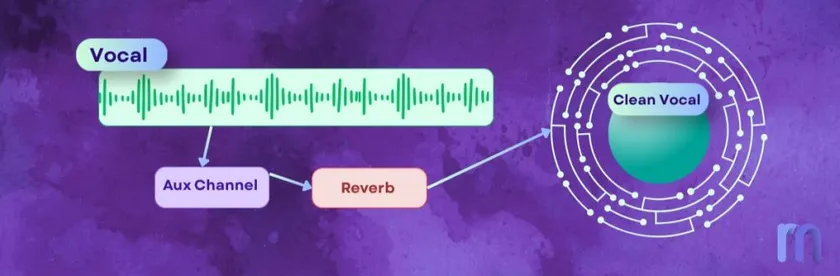
Let’s say you have a lead vocal, and you want it to have reverb. You could place a reverb plugin directly on the vocal track. But another common way is to send some of that vocal to an aux channel with reverb. That way, the original vocal stays clear on its own track, while the aux adds the extra space around it.
So the aux is not replacing the vocal. It is helping it.
That is the key idea.
An aux is usually there to add something to the original sound, not to turn many tracks into a single group.
When should you use an aux?
You should use an aux when you want to add an effect in a flexible way, especially when more than one sound needs that same effect.
Reverb is the classic example. Delay is another one. Parallel compression also often uses an aux. In all of these cases, you are not trying to combine several tracks into a single group. You are trying to send a copy of the sound to a helper path, where something extra happens.
That makes auxes very useful when you want more control over the wet effect separately from the dry sound.
It also makes your mix cleaner, because you do not need a separate reverb or delay plugin on every single track.
What is a send, and why does everyone keep mentioning it?
A send is a small path that sends some of your sound to an aux.
This is where a lot of people get lost, because the word sounds bigger than it is. But a send is actually very simple. It just means that part of your track is being copied and routed somewhere else.
Usually, that “somewhere else” is an aux.
So if you hear someone say, “Send the vocal to the reverb,” what they mean is this: keep the vocal on its normal track, but use a send to send some of it to the aux channel where the reverb lives.
That is all.
The original track stays where it is. The send creates a copy. The aux processes that copy. Then the effect blends back into the song.
Once you understand that, words like send, aux, and return start feeling much less scary. They are just different parts of the same small idea: sending a copy of a sound to a helpful place.
So, when do I use a bus, and when do I use an aux?
This is the question most people really want answered.
- Use a bus when you want sounds to move together as one group.
- Use an aux when you want to send a copy of a sound somewhere for extra processing.
That is the cleanest answer.
If you have four backing vocals and want to control them together, use a bus. If you want those same backing vocals to share one reverb, use an aux.
If you have six drum tracks and want to compress them together, use a bus.
If you want to blend a parallel-compressed copy of those drums alongside the dry version, use an aux.
One groups. One helps.
A bus is about control through grouping. An aux is about support through shared processing.
The reason these get mixed up so often is that both are channels that deal with routing. But once you stop thinking about them as “two similar audio tools” and start thinking about them as “two different jobs,” the confusion starts to fade.
Dry vs wet signal
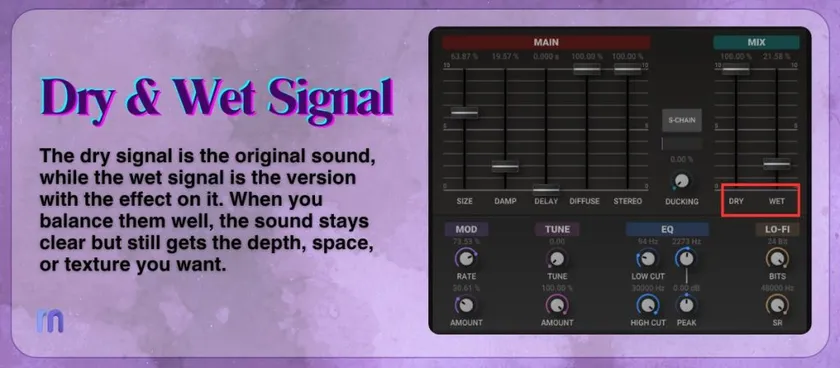
When you add an effect to a sound, there are usually two versions of that sound in the mix.
The dry signal is the original sound, unaffected by any effects. The wet signal is the version that already has the effect, like reverb, delay, or chorus.
For example, if you sing into a microphone, your clean voice is the dry signal. If you send that voice to a reverb aux, the spacious, echo-like version that comes back is the wet signal.
Mixing is often about balancing these two. Too much dry signal can make the sound feel plain and flat. Too much wet signal can make it feel distant or messy. The right balance helps the sound stay clear while still feeling bigger, deeper, or more emotional.
That is one reason auxes are so useful. They let you control the dry sound and the wet sound separately, instead of locking both together on one track.
The reverb question everyone asks
At some point, nearly every creator asks the same thing: should I put reverb on each track, or should I send everything to one reverb aux?
It is a fair question, because this is often the moment where routing stops being theory and starts affecting how the mix actually feels.
If you put a separate reverb on every track, you get a lot of control. Every sound can have its own space. But things can get messy fast. The mix can start feeling cloudy. You may use more CPU than you need. And the whole song can begin to sound like every instrument lives in a different room.
That is why so many mixers prefer using one shared reverb aux, or maybe a small number of them. When several sounds are sent to the same reverb, they often feel more connected. The mix feels more glued together, more natural, and easier to manage.
That does not mean one way is always right and the other is always wrong. Sometimes a track really does need its own special reverb. But for most creators, shared reverb on an aux is the cleaner and easier place to start.
It also teaches you something important about mixing.
Wrapping Up
Good routing is not just about moving sound around. It is about making choices that help the whole song feel more intentional.
That is really what auxes and buses are for. They are not there to make your session look more professional. They are there to help your sounds behave in ways that make the mix feel clearer, smoother, and easier to shape.
And once that clicks, these words stop feeling heavy. They start feeling useful.
Make your sound feel more real. Remaster it now!
Aux & Bus Related FAQs
What is a return in audio routing?
A return is the channel through which the processed sound is returned to your mix after being sent to an aux. For example, if you send a vocal to a reverb aux, the reverb you hear is the returned sound.
What is the difference between a send and a return?
A send takes a copy of your sound and sends it somewhere else, usually to an aux. A return is the processed sound that comes back from that aux into the mix.
What is a pre-fader send?
A pre-fader send sends audio to an aux before the channel fader affects it. This means even if you turn the track down, the send can still keep feeding the aux at the same level.
What is a post-fader send?
A post-fader send sends audio to an aux after the channel fader. So if you lower the track fader, the amount sent to the aux also decreases. This is the most common choice for reverb and delay.
When should I use pre-fader instead of post-fader?
Use pre-fader when you want the send to stay independent from the main track level, like in some headphone mixes or special routing setups. Use post-fader when you want the effect to follow the track volume naturally.
Can auxes be used for headphone mixes, too?
Yes. Auxes are not only for reverb and delay. They are also often used to create separate headphone or monitor mixes so that different people can hear at different levels while recording.
Why do different DAWs make auxes and buses more confusing?
Because different DAWs often use different names for very similar routing ideas. One DAW may call something a bus, another may call it a group, and another may hide the aux/return setup behind different labels.
Does every DAW use auxes and buses the same way?
Not exactly. The main ideas stay the same, but the layout, naming, and routing steps can change from one DAW to another. That is why the concept matters more than the label.
Is a bus the same as a group?
In many cases, yes. A group bus is often just a bus used to control several tracks together. Some DAWs use the word group, while others use bus more often.
Do I need to learn all of this to make good music?
Not all at once. You just need to know the basic jobs: a bus group sounds together, an aux helps with extra processing, a send takes a copy there, and a return brings that processed sound back.