
Which EQ is on your master bus right now?
Most producers cannot answer that quickly. And most cannot explain why they made the choice. Graphic EQ and parametric EQ live side by side in every modern DAW, both one click away, both used interchangeably.
It’s completely okay if you’re a producer who never really learned the difference.
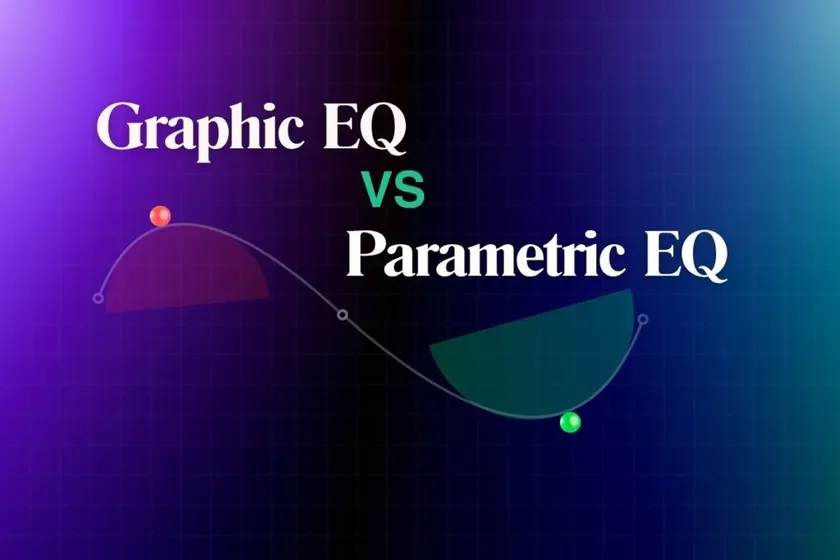
But the catch is they are not interchangeable.
- Graphic EQ is fast and visual.
- Parametric EQ is precise and flexible.
One is right for broad tonal decisions. The other is right for surgical work. And using the wrong one means slower mixes and cleaner problems left unsolved.
This blog gives you the honest answer. It’s a promise. Let’s dig in!
What Is a Graphic EQ?
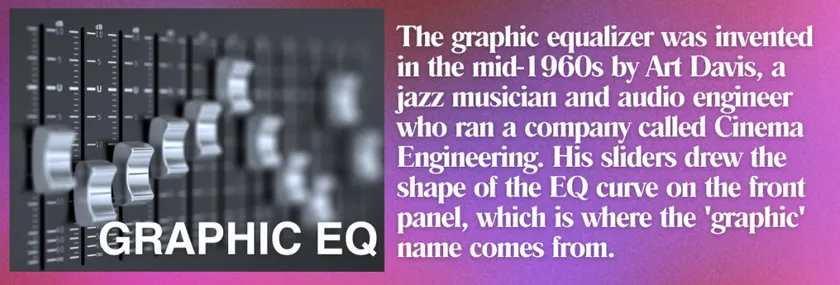
A graphic EQ is an equalizer with a set of fixed frequency bands, each controlled by its own slider.
You do not choose the center frequencies. The device designer already picked them. Common configurations include;
- 10-band graphic EQs (common in home audio, guitar pedals, and simpler racks) and,
- 31-band graphic EQs (standard in live sound and PA systems).
Move a slider up to boost that band. Move it down to cut. The pattern of slider positions draws the visible curve, which is where the name graphic comes from.
The bandwidth (Q) of each band is also fixed. You cannot make a band narrower or wider. That is by design. Graphic EQ trades flexibility for speed and visual clarity. MasteringBox’s guide to graphic EQ covers the technical details in more depth if you want to go further.
What Is a Parametric EQ?
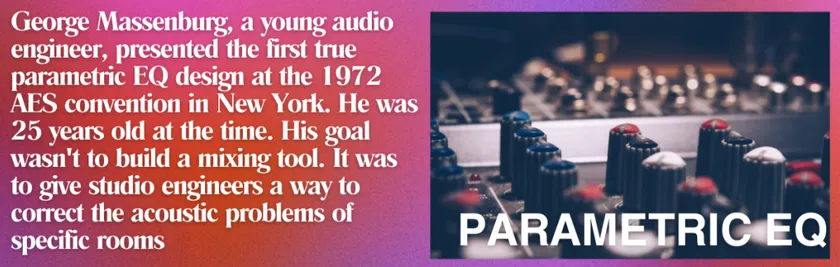
A parametric EQ is an equalizer where you control the frequency, gain, and bandwidth of each band yourself.
Instead of fixed sliders, a parametric EQ gives you individual bands that you can place anywhere in the frequency spectrum.
Each band has three controls.
- Frequency (where in the spectrum the band sits).
- Gain (how much you boost or cut).
- EQ (how wide or narrow the affected range is).
This gives you far more precision than a graphic EQ. Need to cut a specific resonance at 337 Hz? A parametric EQ places a narrow band exactly there. Need a broad low-mid boost? You can widen the same band and dial it in.
[Parametric EQ is the default tool in almost every modern DAW, from the stock Channel EQ in Logic Pro to FabFilter Pro-Q, iZotope Ozone, and Waves plugins across professional workflows.]
The Core Difference in One Line
Graphic EQ is visual and fast. Parametric EQ is precise and flexible.
Everything else in this post follows from that one difference. Every choice about which tool to use in a given moment comes back to whether you need speed or precision at that specific point in your workflow.
Graphic EQ vs Parametric EQ: Side-by-Side Comparison
| Feature | Graphic EQ | Parametric EQ |
| Frequency selection | Fixed | Fully adjustable |
| Bandwidth (Q) | Fixed | Fully adjustable |
| Number of bands | Many (10, 15, 31) | Few (typically 4 to 8) |
| Visual feedback | Slider positions form the curve | Curve overlay in DAW |
| Speed of use | Fast, hands-on | Slower, more deliberate |
| Precision | Broad | Surgical |
| Best use case | Broad tone shaping, live sound | Mixing, mastering, problem solving |
| Common in | Live rigs, guitar pedals, PA systems | DAWs, modern in-the-box workflows |
The table is the fastest way to see the split. Graphic EQ wins on speed and visual clarity. Parametric EQ wins on precision and control. Neither is better in general. They are better at different things.
When to Use a Graphic EQ
Graphic EQ has specific scenarios where it is genuinely the right tool.
Live sound and PA tuning
A 31-band graphic EQ is standard in live rigs because engineers need to make fast, wide-spectrum adjustments to fight feedback and tune the room. Speed matters more than surgical precision in a live setting.
Broad tonal shaping on drums and buses
Classic hardware graphic EQs like the API 560 are prized on drum buses and guitar tracks for character and speed. You grab a few sliders and shape the tone without overthinking it.
Home audio and casual listening
The 10-band EQ in your car stereo or hi-fi receiver is a graphic EQ. It lets listeners adjust tone quickly to their room and preferences without needing to know audio engineering.
Quick character moves in the studio
When you want a decisive tonal decision (add air, scoop mids, thicken lows), a graphic EQ can be faster than dialing in a parametric.
Outside of these scenarios, graphic EQ is usually the wrong tool.
When to Use a Parametric EQ
Parametric EQ handles the majority of modern audio work. The scenarios where it wins are broad.
Surgical cuts and problem frequencies
A muddy 250 Hz resonance on a vocal. A harsh 3 kHz spike on a snare. A room mode at 80 Hz. These require narrow, precisely placed cuts that a graphic EQ cannot make. Our guide on why mixes sound muddy walks through many of these cases in practice.
Vocal editing
Vocals need frequency-specific attention that only a parametric EQ can deliver. Presence around 3 to 5 kHz. Body around 200 Hz. Sibilance in the 5 to 10 kHz range. Every vocal chain in modern production uses parametric EQ.
Mixing and mastering
Modern mixing is built on parametric EQ. Multi-band decisions on individual tracks, precise buses, mastering chain corrections. Almost every professional mixing engineer treats parametric EQ as their default.
Anywhere precision matters more than speed. Which, in a DAW workflow, is most of the time.
The Answer for Most Producers
Here is the honest take most comparison articles avoid.
For roughly 90% of modern bedroom producers working in a DAW, parametric EQ should be your default tool. It is more flexible, more precise, and better suited to the surgical decisions modern mixing demands.
Every major DAW ships with a strong parametric EQ (Logic’s Channel EQ, Ableton’s EQ Eight, FL Studio’s Parametric EQ 2). You do not need to buy anything to use one.
Graphic EQ has real value in the specific scenarios above (live sound, broad character, home audio), but it is not the right daily driver for someone mixing and mastering in a bedroom studio.
The mistake most producers make is reaching for whichever EQ is on hand instead of picking based on the task. If you find yourself using graphic EQ to try to fix specific problem frequencies, switch to parametric. If you find yourself using parametric to make broad tonal decisions on a drum bus, try a graphic EQ. The tool should match the job.
Our guide on headroom in audio covers the deeper principles of how EQ decisions interact with the rest of the mix chain.
End Note (Key Takeaway)
Graphic EQ and parametric EQ are not competing tools. They are different tools for different jobs. (Got it, right?)
If you understand which one to reach for in a given moment, your workflow gets faster and your mixes get cleaner. If you use the wrong one, you spend time fighting the tool instead of shaping the sound. Learn both, use each where it belongs, and stop treating either as a universal answer.
When your mix decisions are clean and the track is ready, mastering carries it across every system a listener might play it on.
[For your reference, Remasterify is built for exactly that stage, with AI mastering that handles loudness, headroom, and translation across every streaming platform.]
Graphic vs Parametric EQ FAQs
1. What is the difference between graphic EQ and parametric EQ?
Graphic EQ uses fixed frequency bands controlled by sliders, offering fast, visual tone shaping with limited precision. Parametric EQ lets you adjust the frequency, gain, and bandwidth (Q) of each band independently, giving you surgical control over specific problem frequencies. Graphic EQ is best for broad tonal moves and live sound. Parametric EQ is best for mixing and mastering in a DAW.
2. Should I use graphic EQ or parametric EQ for mixing?
For modern mixing in a DAW, parametric EQ should be your default. It gives you the precision needed to cut problem frequencies, shape vocals, and make surgical adjustments across the mix. Graphic EQ still has a place for broad tonal decisions on drum buses or character shaping, but for most mixing work, parametric EQ is the better tool.
3. When should I use a graphic equalizer?
Use a graphic equalizer for broad tonal shaping, live sound and PA tuning, feedback control, guitar pedal tone stacks, and home audio adjustments. Graphic EQ is also useful on drum buses or guitar tracks where you want quick, decisive character moves. Avoid it for surgical work like removing specific resonances or shaping vocal presence, where parametric EQ is more effective.
4. Is parametric EQ better than graphic EQ?
Parametric EQ is more flexible and precise, but neither is universally better. Parametric EQ wins for mixing, mastering, and any task requiring surgical frequency control. Graphic EQ wins for speed, visual clarity, and broad tonal shaping in live sound or on buses. The right choice depends on the specific job. For most modern bedroom producers working in a DAW, parametric EQ is the more useful default.
5. Can I use both graphic EQ and parametric EQ on the same track?
Yes. Many professional workflows combine both. Graphic EQ handles broad tonal character or coloration, while parametric EQ handles surgical corrections. For example, you might use a graphic EQ on a drum bus for punch and presence, then a parametric EQ to remove specific resonances on individual drums. The two tools complement each other when used for their respective strengths.