
Most producers know Spotify normalizes to around -14 LUFS. Yes, we also suggest that.
But fewer like us know what that number actually means. We mean when it applies and what happens when a listener changes their playback settings.
Spotify’s loudness system is more layered than the “-14 LUFS” shorthand suggests.
It has three user-selectable modes, each with different behavior.
For example, it uses different codecs depending on the listener’s subscription tier. Plus, it applies actual dynamic processing in some modes, not just volume adjustment.
And understanding the full picture changes what you should master for.
So, this post covers the specific mechanics of Spotify’s loudness system. That’s what most producers ignore in their user settings. Along with that, mastering strategy that actually holds up on the platform.
If you need the LUFS fundamentals first, we have our full guide on mastering with a LUFS meter. It covers what LUFS is and the general targets across streaming platforms.
TL;DR
- Spotify normalizes to -14 LUFS by default. It turns loud masters down and boosts quiet ones with a safety margin.
- Three user modes exist: Loud (-11), Normal (-14), Quiet (-19). Loud mode actually applies a limiter to quiet dynamic tracks.
- Spotify never modifies your uploaded file. Normalization happens at playback, not to your master.
- Master to -14 LUFS integrated with true peaks at -1 dBTP. Chasing louder than that gains you nothing on Spotify.
- Spotify HiFi rewards preserved dynamics. If your audience uses HiFi, master more dynamically, not louder.
Table of Contents
- How Spotify’s Normalization Actually Works
- The Three User Modes Most Producers Don’t Know About
- Spotify’s 2026 Delivery Specs
- Spotify HiFi and What It Changes
- The Codec Question
- The Mastering Strategy That Actually Works for Spotify
- Common Spotify Mastering Mistakes
How Spotify’s Normalization Actually Works
Spotify measures the integrated LUFS of your track during the upload process.
[Integrated LUFS is the average loudness across your entire song, weighted for how humans actually perceive volume.]
Once your track is measured, Spotify does something important. It does not modify your uploaded file. Your master stays exactly as you delivered it. What Spotify changes is the playback gain applied at the listener’s end.
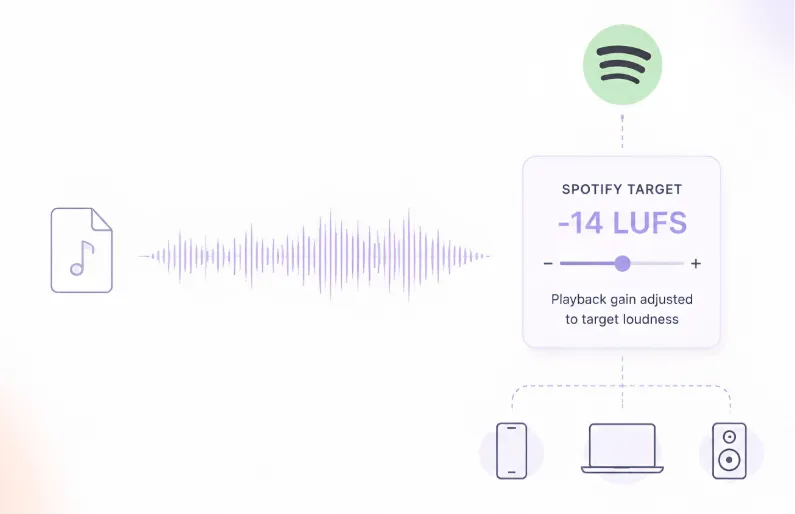
If your track is louder than Spotify’s target, playback gain gets reduced. If your track is quieter, playback gain gets increased (with a safety margin to avoid clipping after the boost). The listener always hears your track at the platform’s target loudness for their playback mode, not at your master’s absolute level.
Two things follow from this that matter for mastering:
- Chasing loudness on Spotify is a losing game. A track mastered at -8 LUFS gets turned down 6 dB in Normal mode. It plays at the same effective loudness as a -14 LUFS master, but with less dynamic range and no volume advantage.
- Some listeners disable normalization entirely. In that case, they hear your file at its actual mastered level. If you crushed your master to compete on loudness, those listeners hear the crushed version.
According to Spotify’s official loudness normalization documentation, normalization happens at playback, not to your file. The web player and third-party devices (like some TVs and speakers) may not use normalization at all.
The Three User Modes Most Producers Don’t Know About
This is the part almost every Spotify mastering guide skips.
Spotify Premium listeners can select from three loudness playback modes in their app settings:
| Mode | Target | Behavior |
| Loud | -11 LUFS | Quiet tracks get boosted with an actual limiter applied |
| Normal (default) | -14 LUFS | Loud tracks turned down, quiet tracks boosted with headroom safety |
| Quiet | -19 LUFS | Loud tracks turned down, no boost for quiet tracks |
The Normal mode is the default, and industry research suggests over 87% of listeners stay with it. But the other two modes exist and behave differently.
Loud mode does something unique. According to Spotify’s own documentation, when Loud mode encounters a quiet, dynamic track, it applies a real limiter (engaging at -1 dB with 5ms attack and 100ms decay) to prevent clipping while boosting toward -11 LUFS. This means quiet, dynamic masters get audibly compressed at playback in Loud mode, not just turned up. If you’re mastering acoustic material or classical recordings, Loud mode listeners hear a version with added limiting you never applied.
Quiet mode preserves dynamics. It only turns loud masters down toward -19 LUFS. If your track is already quiet, it stays quiet. This mode is popular with audiophile-adjacent listeners in controlled environments.
Normal mode is symmetric. It both reduces loud tracks and boosts quiet ones toward -14 LUFS, with the safety rule that boosting only happens if there’s enough headroom to avoid clipping.
The practical implication: mastering to -14 LUFS integrated is the safest choice across all three modes. It requires the least adjustment in any direction, which means the least algorithmic interference with your intended sound.
Spotify’s 2026 Delivery Specs
Practical reference for what the platform accepts.
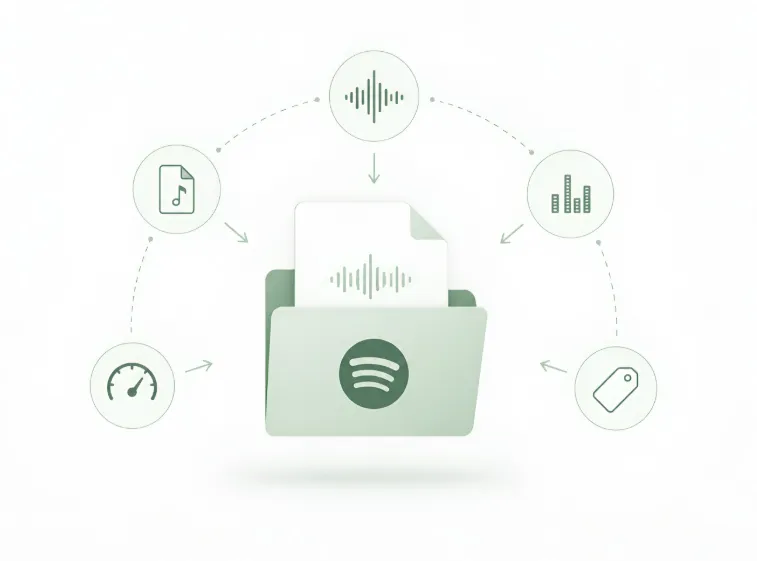
- File format: WAV or FLAC for direct submissions. Spotify does not accept MP3 for artist uploads.
- Bit depth: 16-bit or 24-bit. 24-bit is preferred if you have it.
- Sample rate: 44.1 kHz minimum. 48 kHz is accepted.
- True peak ceiling: -1 dBTP recommended. This is not optional for serious releases. Spotify’s own documentation is explicit that -1 dBTP is required to avoid transcoding distortion when your file gets converted to Ogg Vorbis or AAC for streaming.
- Metadata: ISRC codes, artist credits, publishing info, and any required rights information (handled by your distributor for most indie releases).
For most independent producers, delivery happens through a distributor (DistroKid, TuneCore, CD Baby, etc.) that handles Spotify’s specific technical requirements. Knowing the spec still matters, because bouncing at the wrong bit depth means your distributor’s conversion adds another lossy step, and ignoring the -1 dBTP guidance risks codec-induced clipping regardless of how careful your distributor is.
👉 Our guide on MP3 vs WAV vs FLAC covers the file format decision in more detail.
Spotify HiFi and What It Changes
Spotify introduced lossless streaming through its HiFi tier, delivering audio at CD quality (16-bit, 44.1 kHz FLAC). This changes several things for mastering.
→ Codec artifacts disappear
HiFi listeners hear your track without lossy codec compression. The high-frequency artifacts and subtle transient changes that Ogg Vorbis and AAC introduce simply aren’t there.
→ Aggressive limiting sounds worse on HiFi
On lossy Spotify, some codec compression smoothed out the harsh edges of heavy limiting. On HiFi, those edges are audible. A brickwall-limited master that “sounded fine” on standard Spotify may sound noticeably harsh on HiFi.
→ Dynamic range decisions matter more
When listeners can actually hear the full detail of your master, mastering choices that preserved dynamics are rewarded. Crushed masters sound crushed. Dynamic masters sound alive.
→ Loudness normalization still applies
HiFi doesn’t disable normalization. The three user modes still function the same way. What HiFi changes is not the loudness system, but the audio quality of what listeners hear once loudness is normalized.
For producers whose audience skews toward audiophile playback (jazz, classical, ambient, high-quality electronic), mastering with slightly more preserved dynamics is worth the tradeoff. The HiFi listener will hear the difference. The standard-tier listener won’t lose anything.
The Codec Question
Spotify streams most audio using Ogg Vorbis for standard-tier listeners and FLAC for HiFi listeners.
Ogg Vorbis behaves differently than AAC (which Apple Music uses). Two implications for mastering:
- Ogg Vorbis handles high-frequency transients differently. Bright, aggressive masters can develop different artifacts on Spotify versus Apple Music. The same file can sound slightly harsher on one platform than the other, purely from codec behavior.
- Ogg Vorbis is sensitive to intersample peaks. This is why Spotify’s -1 dBTP guidance matters more than the same guidance for AAC-based platforms. A master with true peaks at -0.1 dBTP might sound fine on Apple Music but develop audible clipping on Spotify.
For most producers, codec behavior is invisible. But if you compare your track on Spotify versus Apple Music and hear subtle differences in the high end, the codec is the reason. Mastering with true peak headroom at -1 dBTP or lower avoids the worst of it.
The Mastering Strategy That Actually Works for Spotify
Practical takeaways, not just LUFS targets.
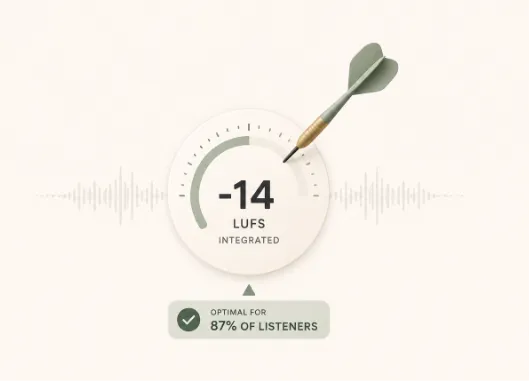
1. Master to -14 LUFS integrated as your baseline.
This lands cleanly in Normal mode (the default for 87% of listeners) and requires the least adjustment across all three user modes.
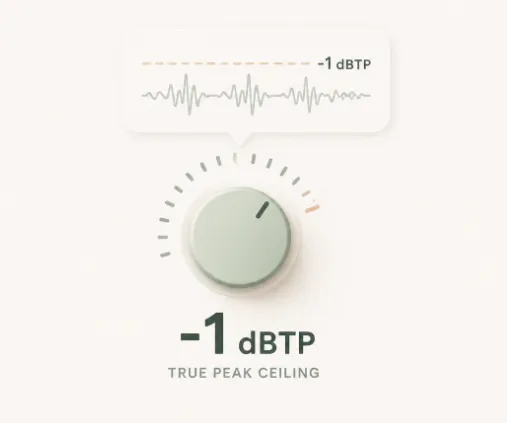
2. Set true peak ceiling at -1 dBTP.
This handles Spotify’s Ogg Vorbis conversion without codec-induced clipping and gives Spotify the headroom it needs to safely boost quiet tracks.
3. Preserve dynamic range.
Spotify normalizes loud masters down. Crushing your track to -8 LUFS gains you nothing on Spotify and loses you dynamic character that becomes audible on HiFi and to listeners who disable normalization.
4. Don’t chase Loud mode listeners.
Even in Loud mode, your track competes against every other Loud mode track at the same -11 LUFS target. Relative loudness advantages disappear entirely.
5. If your audience uses HiFi, master more dynamically.
Aim for -14 LUFS with preserved dynamics rather than pushing loudness. HiFi listeners hear the difference; standard-tier listeners don’t lose anything.
6. Verify with tools before release.
Youlean’s Loudness Penalty Analyzer shows exactly how much gain Spotify will apply to your specific track. Use it before you release, not after.
Our guide on how to master your track in 5 steps covers the broader workflow this strategy fits into.
Common Spotify Mastering Mistakes
Real mistakes that come up.
- Chasing -8 LUFS to sound loud. Every serious commercial release on Spotify gets normalized to the same target as your -14 LUFS master. There is no loudness advantage. There is only a dynamic range disadvantage.
- Ignoring the true peak ceiling. Bouncing at 0 dBFS means Spotify’s codec conversion introduces intersample peak clipping. -1 dBTP is the fix, and it’s Spotify’s own official guidance, not a suggestion.
- Mastering identically for every streaming platform. Apple Music uses AAC and normalizes to -16 LUFS. YouTube uses -14 LUFS with different codec behavior. Spotify’s Ogg Vorbis differs from both. A single master is workable, but the same file behaves differently on each platform.
- Assuming normalization is symmetric across all modes. In Normal mode, Spotify boosts quiet tracks. In Quiet mode, it doesn’t. Masters below -18 LUFS integrated can sound weak in Quiet mode even with normalization on.
To Sum Up Everything
Spotify’s loudness system is more sophisticated than the “-14 LUFS” shorthand suggests. Three user modes with different behaviors. An actual limiter in Loud mode. Codec differences from other platforms. A HiFi tier that rewards preserved dynamics. Understanding the full picture gives you a more accurate map of what mastering choices actually matter.
The practical takeaway is straightforward: master for -14 LUFS integrated, keep true peaks at -1 dBTP or lower, preserve dynamic range, and trust the normalization to do its job. Chasing loudness on Spotify is a losing game. Chasing musical impact within the platform’s constraints is how professional releases actually sound competitive.
Sound perfect in SPOTIFY’s competitive space
Remasterify is built for this workflow. AI mastering that targets streaming loudness standards while preserving dynamic character. Upload your final stereo bounce, hear it mastered in minutes, and deliver something Spotify’s system rewards.