
In 2014, mastering engineer Ian Shepherd set up an experiment. He wanted to answer a question that had been dividing audio forums for years.
Does high-resolution audio actually sound better than CD-quality audio?
In a real double-blind listening test, he played the same track to a group of professional engineers, some at 44.1kHz, some at 96kHz, in a proper double-blind listening test on high-end gear.
The results were not what most people expected.
The CD-quality version was undetectable at normal-to-loud listening levels by any of the subjects on any of the playback systems. These weren’t casual listeners. These were mastering engineers trained to catch the tiniest sonic changes. And they were guessing.
That test kicked off a conversation that has continued ever since.
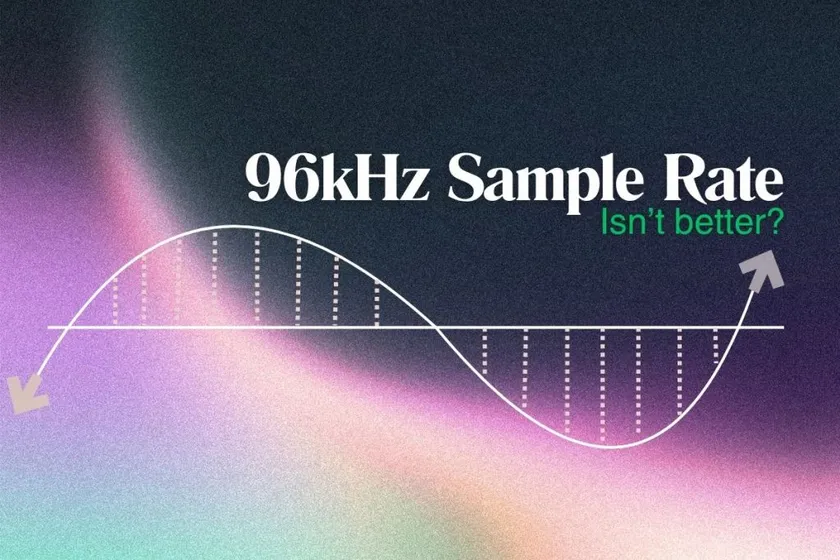
If professional engineers can’t tell the difference in a controlled test, why does the internet still insist you should always record at 96kHz? The honest answer is that higher sample rates aren’t automatically better. In many cases, they add cost without adding quality. This post explains why.
✨ TL;DR
- A 2007 AES study found that trained listeners could not tell 96kHz apart from CD-quality audio in a double-blind test.
- Higher sample rate does not mean higher quality. It only captures frequencies above human hearing (20kHz).
- 96kHz has real costs. Double the file size, double the CPU load, and no audible improvement in most cases.
- Use 44.1kHz for streaming and CD. Use 48kHz for video and podcasts. 24-bit for both.
What 96kHz Sample Rate Actually Captures
Sample rate is how many audio snapshots your system captures per second. A 96kHz sample rate means 96,000 snapshots every second. That’s roughly double the standard rates used for most music (44.1kHz or 48kHz).
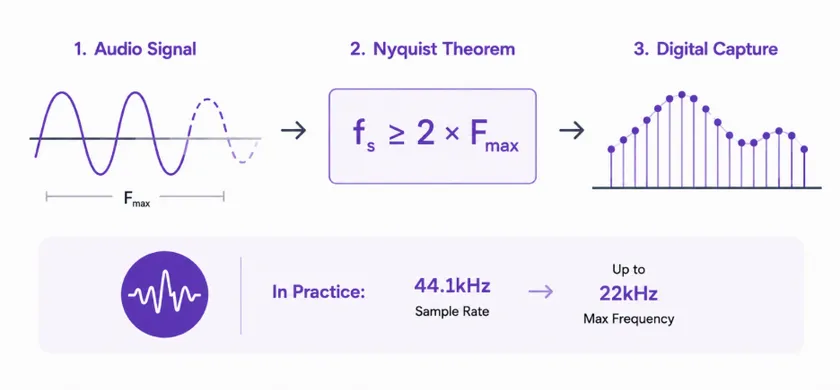
The rule that governs what a sample rate can capture is called the Nyquist theorem. The highest frequency you can accurately capture is exactly half your sample rate.
What is the Nyquist theorem?
The Nyquist theorem states that to accurately capture an audio signal digitally, your sample rate must be at least twice the highest frequency you want to record. In practice, this means a 44.1kHz sample rate can capture frequencies up to about 22kHz, covering the full range of human hearing.
(If you’re more interested in learning the Nyquist theorem, here’s a crispy take on that. Please do a quick read)
- 44.1kHz captures up to around 22kHz
- 48kHz captures up to around 24kHz
- 96kHz captures up to 48kHz
Here’s the catch.
Human hearing tops out at around 20kHz, and less for most adults over 30. That means 44.1kHz already captures the entire audible range of the average human ear. 48kHz gives a small buffer above that. 96kHz captures a huge range of frequencies you cannot hear.
For a deeper walkthrough of how sample rate and bit depth work together, see our complete guide on sample rate vs bit depth.
Do the math and the question becomes obvious. If 44.1kHz already covers everything you can hear, what does 96kHz actually give you?
The Study That Started the Debate
In 2007, two audio researchers named E. Brad Meyer and David R. Moran published a paper in the Journal of the Audio Engineering Society that changed how the industry thought about sample rate. They wanted to answer a question that had been dividing audio forums for years.
Does high-resolution audio actually sound better than CD-quality audio?
They set up a proper double-blind listening test. Over the course of the study, 554 trials were run using trained listeners, high-end playback systems, and program material specifically chosen to expose any audible difference. Some listening sessions used SACD and DVD-Audio releases played at their native high resolution. Others used the same audio downconverted through a CD-quality (16-bit / 44.1kHz) loop.
The results were not what most people expected.
Listeners scored 49.82% correct across the study, essentially indistinguishable from random guessing. Not audiophiles. Not mastering engineers. Not producers.
On any of the playback systems, at normal-to-loud listening levels, they could not reliably tell the difference between the high-resolution version and the CD-quality version.
That paper kicked off a conversation that has continued ever since. If professional listeners can’t reliably tell the difference in a controlled test, why does the internet still insist you should always record at 96kHz?
The honest answer is that higher sample rates aren’t automatically better. In many cases, they add cost without adding quality. This post explains why.
The Myth “Higher Sample Rate = Better Quality”
Here’s the misconception at the heart of every “always record at 96kHz” argument.
A higher sample rate does not create a higher-resolution version of the same audio. It only extends the range of frequencies your system can capture above the audible range.
Resolution below the Nyquist limit does not improve with a higher sample rate. What actually changes is the space above 20kHz, frequencies your ears cannot hear.
Grammy-winning mastering engineer Bob Katz has confirmed the audible improvement people occasionally hear at higher sample rates usually comes from converter design, not the sample rate itself.
Better converters happen to be optimized for higher rates. The rate isn’t doing the work. The engineering is.
The real question isn’t “does 96kHz sound better.” It’s “does 96kHz sound better enough to justify the costs?”
For most producers, the answer is no.
The Real Costs of Recording at 96kHz
Higher sample rates have real, measurable downsides that most beginner content skips over.
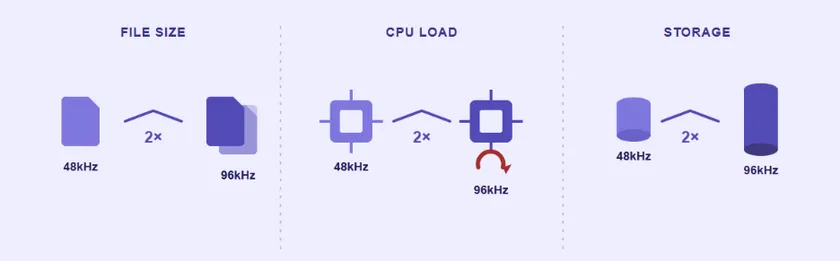
- File size doubles
A three-minute stereo file at 24-bit / 48kHz is about 30 MB. The same file at 96kHz is about 60 MB. Multiply that across a full session with 30 tracks, and you’re burning storage fast.
- CPU load doubles
Every plugin has to process twice the data at 96kHz. This means fewer plugins in real-time before your system chokes, more latency, and more crashes on older machines.
- Storage burns faster
A backup drive that fits 200 sessions at 48kHz will only hold 100 at 96kHz. Cloud storage costs scale the same way.
Interface conversion isn’t always cleaner. Many audio interfaces have converters optimized specifically for 48kHz. Running them at 96kHz doesn’t automatically improve conversion quality. Sometimes it makes it worse. As Yamaha’s professional audio guide points out, a 48kHz sample rate is more than enough for very high-quality live and domestic audio system performance.
For a full breakdown of how audio headroom and file settings interact, our guide on headroom in audio covers the underlying logic.
When 96kHz Is Actually Worth It
Higher sample rates aren’t useless. There are specific situations where they genuinely help.
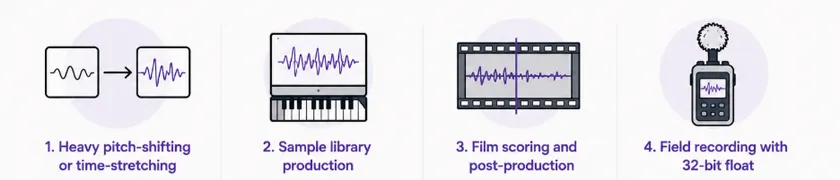
- Heavy pitch-shifting or time-stretching. When you’re pitching audio up or down dramatically, more samples per second gives the algorithm more data to work with. The result sounds cleaner.
- Sample library production. If your audio will be pitched by end users, capturing extra headroom above the audible range means the pitched-down samples still sound clean.
- Film scoring and post-production. Some workflows require 48kHz or higher for sync accuracy with video, and 96kHz is common in professional film work.
- Field recording with 32-bit float. Location recording benefits from the higher dynamic range and processing headroom that come with high-rate 32-bit float capture.
For most bedroom producers making music for streaming, none of these situations apply.
What Sample Rate You Should Actually Use
The honest answer, based on what professional engineers actually do.
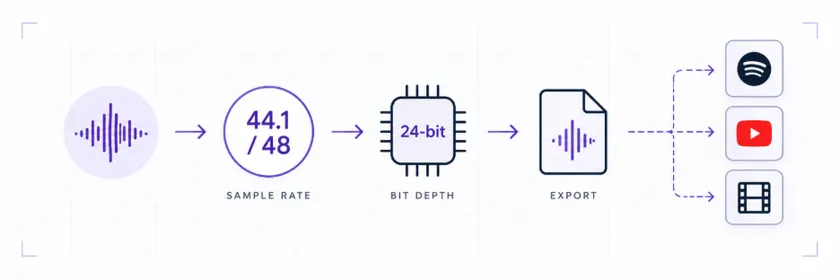
- Use 44.1kHz for music targeting streaming, CD, or general digital release. It’s the standard rate. Every platform expects it. Every listener’s system handles it perfectly.
- Try 48kHz for music tied to video, film, podcasts, or broadcast. This is the video industry standard. Delivering at 48kHz avoids unnecessary sample rate conversion, which can introduce artifacts.
- Use 24-bit depth for both. Bit depth affects dynamic range and headroom, which matters far more than sample rate for most work.
Match your session sample rate to your delivery target. Converting between rates in the final master can introduce audible artifacts. Recording at your delivery rate skips the conversion entirely.
If you want to double-check your levels during recording and mixing, our guide on using audio meters covers what to watch for.
Higher isn’t better. Right is better.
Sample rate is one of the most misunderstood settings in audio production because “more numbers” feels like “more quality.” It usually isn’t.
For nearly every producer releasing music today, 44.1kHz or 48kHz at 24-bit is the correct answer. Save the CPU. Save the storage. Save the file size. Spend the effort on the parts of the mix that actually reach the listener.
When your track is mixed and ready, the last stage is mastering. Remasterify is built for exactly this stage, with AI mastering that delivers a release-ready master in minutes at the right rate and depth for every streaming platform.